- 1. Unit tests and Android (Instrumentation/Integration) tests.
- 2. Select Mockito to Isolate Android service in Android test.
- 3. Run test, running configuration.
- 4. Prepare Android integration test (Gradle, Manifest, network security policy).
- 5. Configure remote peer for testing.
- 6. Write code to mock WebRTC service.
- 7. Positive result of testing.
Isolate Android WebRTC service with MoSKito and testing it with endpoint based on Node.JS WebRTC endpoint.
Firstly, About my WebRTC service - WebRTC service and How I fit WebRTC service to whole my application Global objects with references to all application services
1. Unit tests and Android (Instrumentation/Integration) tests.
Most important in this case is understanding difference between Android test (integration test or in Android term Instrumentation Test) and Unit test. It not only placed in different Android project directory, this two test has different purposes:
| Feature | Android Test (Instrumentation Test) | Unit Test |
|---|---|---|
| Purpose | Tests app behavior on an actual Android device or emulator. | Tests individual functions or classes in isolation. |
| Execution Environment | Runs on an Android device/emulator using Android's testing framework. | Runs on the local JVM (Java Virtual Machine), without requiring an emulator or device. |
| Speed | Slower (requires an emulator/device to start and run tests). | Faster (executes in milliseconds since no emulator/device is required). |
| Dependencies | Requires the Android framework and system services. | Runs independently without the Android framework. |
| Frameworks Used | JUnit, Espresso, UIAutomator, AndroidX Test. | JUnit, Mockito, Robolectric (for Android-like behavior on JVM). |
| Testing Scope | Covers UI testing, integration testing, and real-world interactions. | Focuses on logic testing, validating functions, methods, and algorithms. |
| Access to Android APIs | Can access Android components (e.g., Activities, Fragments, Views). | Cannot access Android APIs directly. Requires mocks or Robolectric. |
| Use Cases | UI tests, end-to-end tests, interaction testing, database testing. | Business logic validation, data processing, function correctness, algorithm testing. |
| Example Code | @RunWith(AndroidJUnit4.class) @Test fun checkButtonClick() { ... } | @Test fun testSum() { assertEquals(4, add(2,2)) } |
2. Select Mockito to Isolate Android service in Android test.
But I want to use testing Android service, and I need:
- I need Integration Test (with Android emulator)
- I need Mock Listener for WebRTC Events, my WebRTC service is event-driven behavior.
- WebRTCEventListener is an interface, so you need a mock instance to control its behavior.
- WebRTC events happen asynchronously (e.g., onCallStarted, onIceCandidate).
- I need Callback Interfaces (events happen asynchronously (e.g., onCallStarted, onIceCandidate).
- I need verify interactions by mocking WebRTCEventListener (verify(webRTCEventListener).onCallStarted(...)).
- I need isolated components (event listeners)
Therefore Mockito is only one real choice for me to isolate Android service, start it, working asynchronously and implement interfaces (WebRTCEventListener).
3. Run test, running configuration.
Main point usually is turn On/Off Android test. We just can select what we want to run
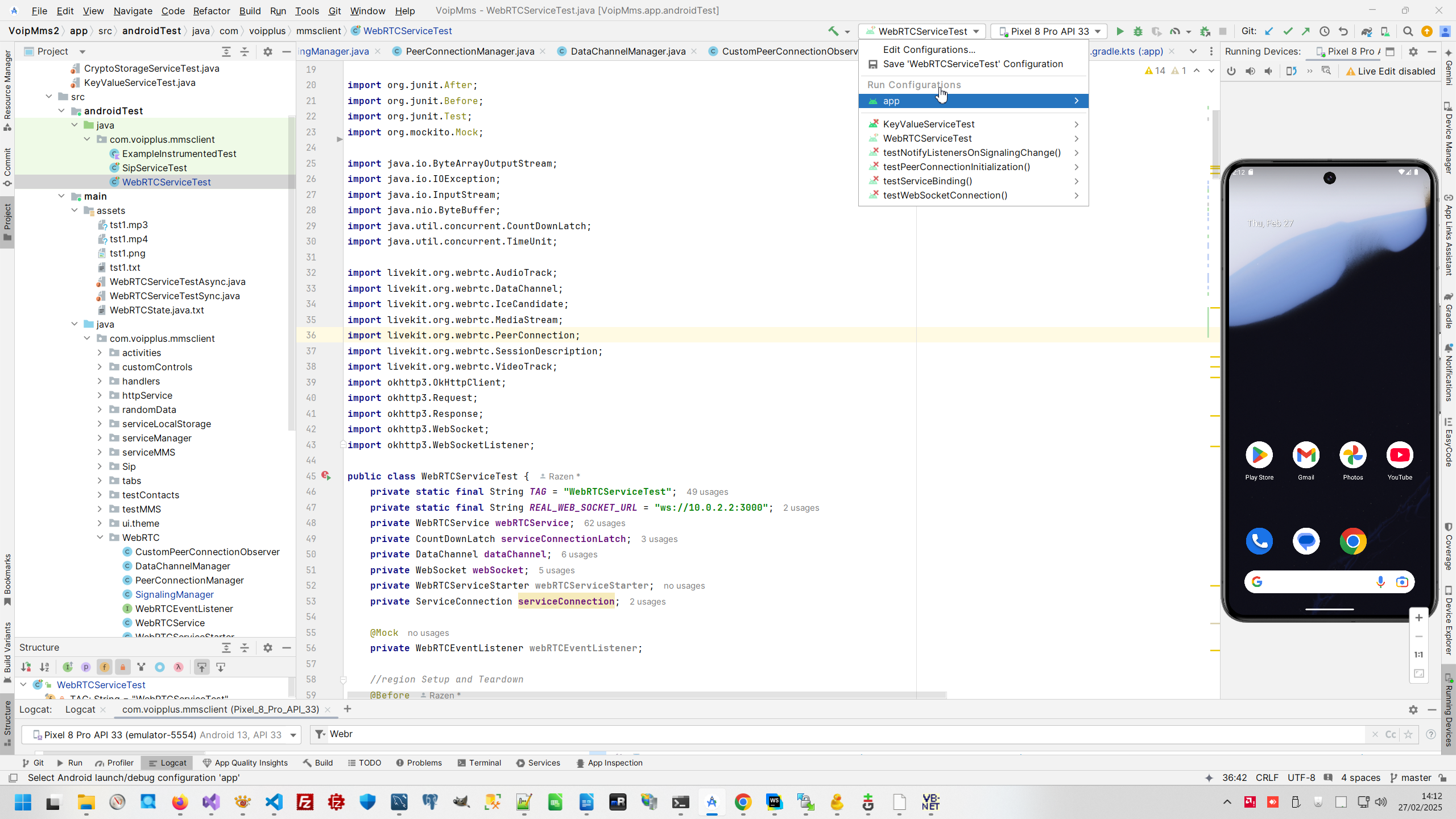
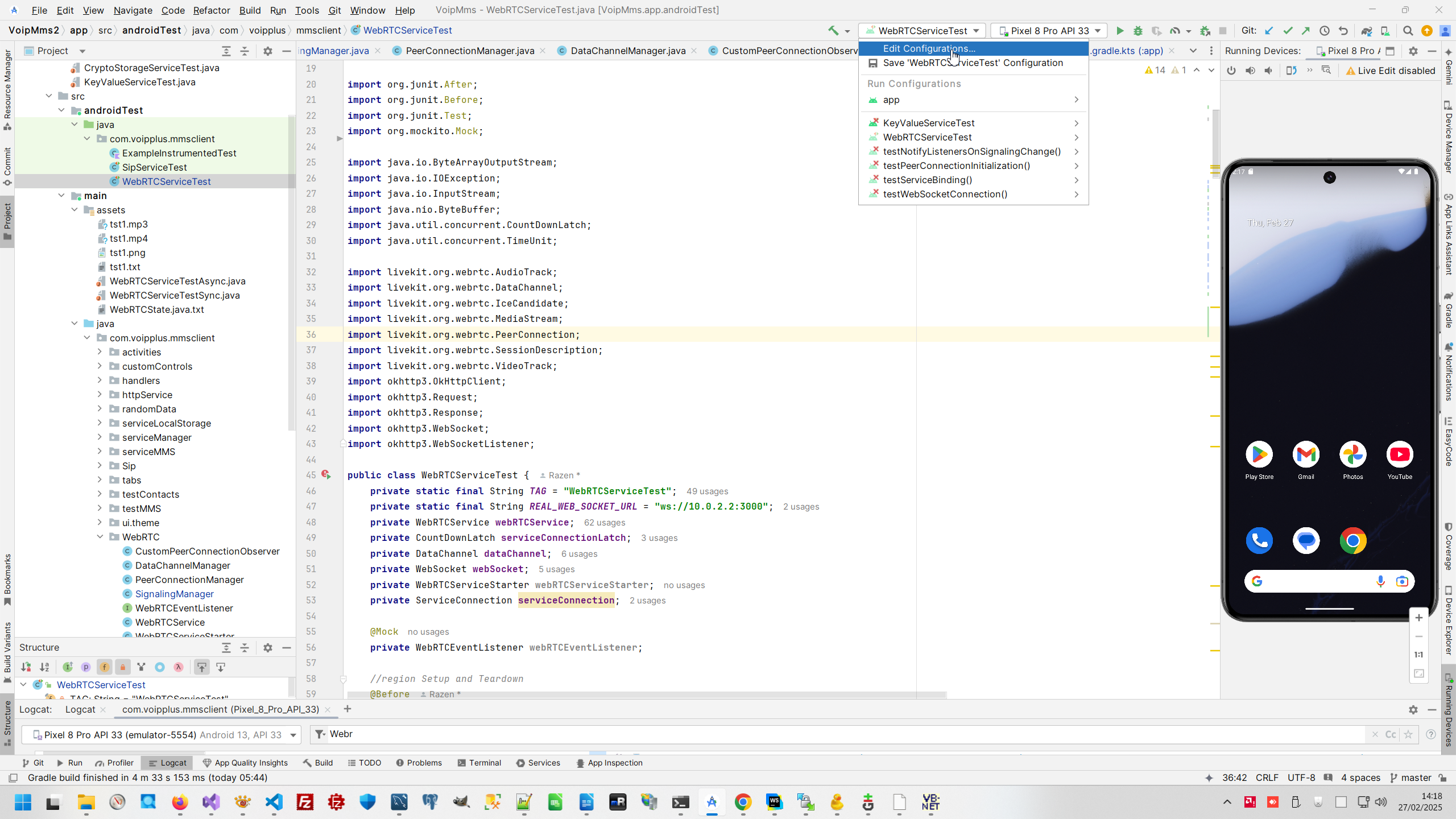
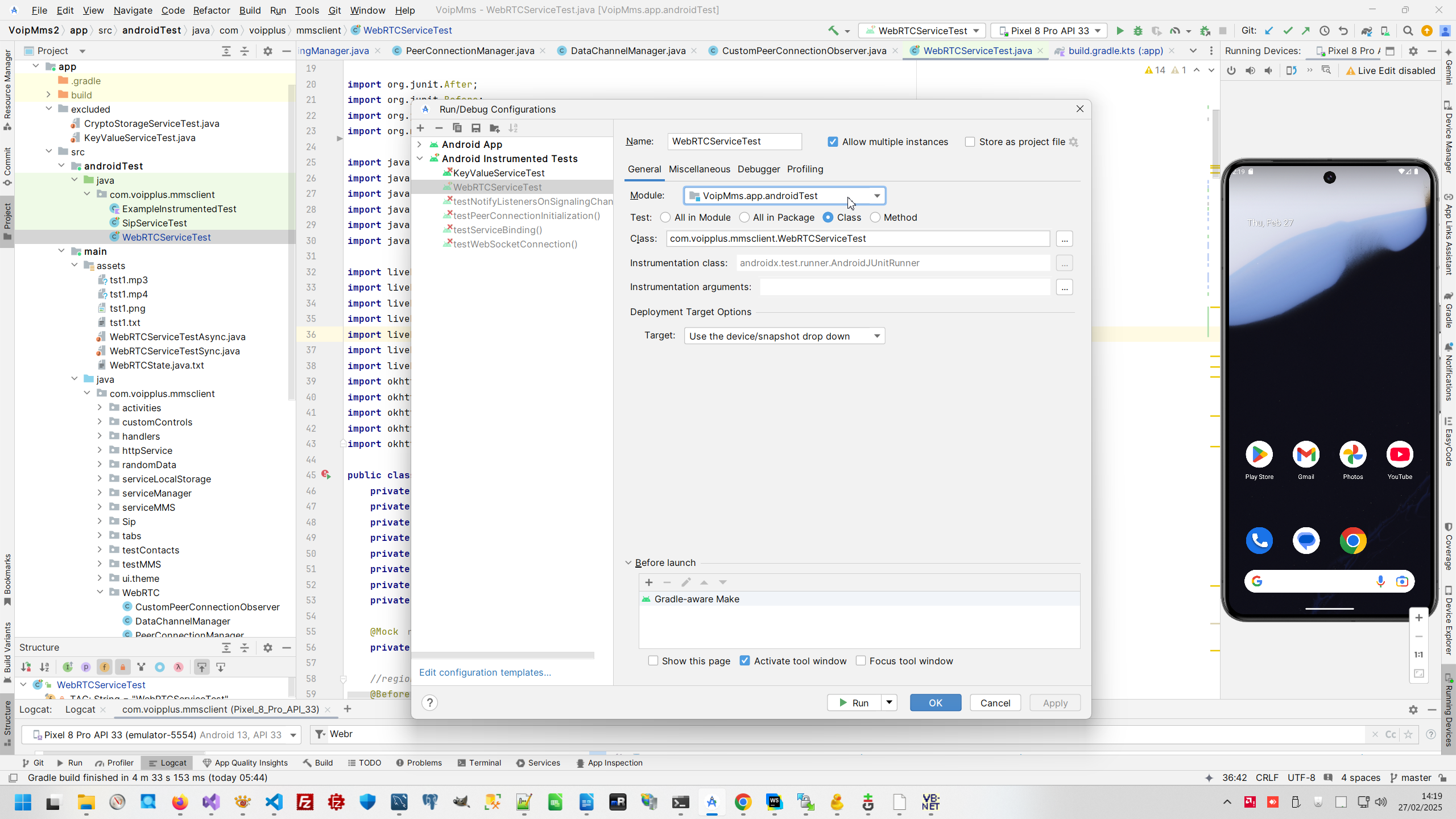
or changing app configuration. This is most important form to tuning what class we will start, preparation steps to start and environment in which class will start if we press green arrow triangle "Start". This is sophisticated tuning, and there are simple crack to avoid this tuning - just move test class to Exclude folder.
4. Prepare Android integration test (Gradle, Manifest, network security policy).
Next most important tuning for organize testing is (as usually) Gradle file, what library we will link to finally program.
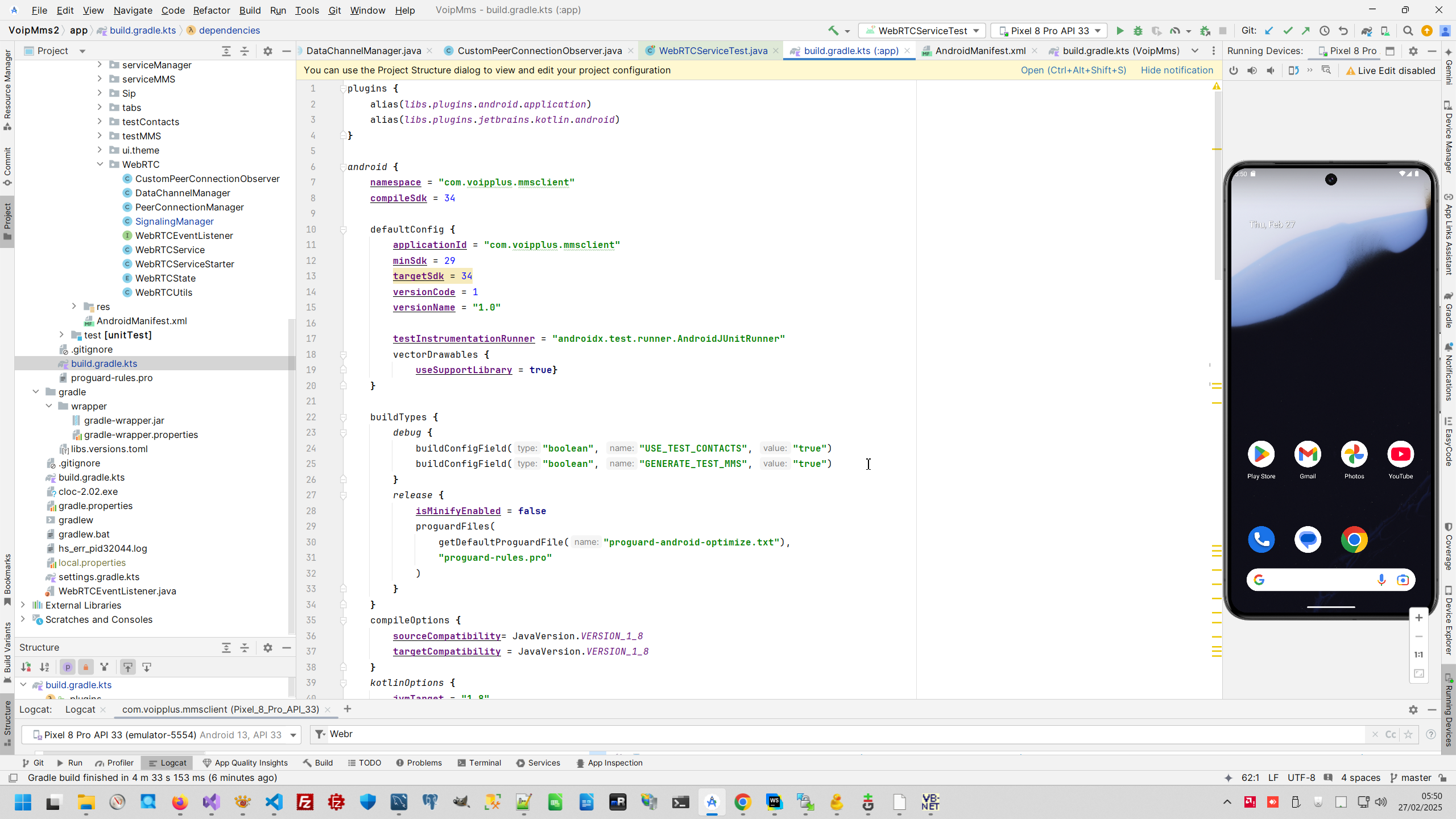
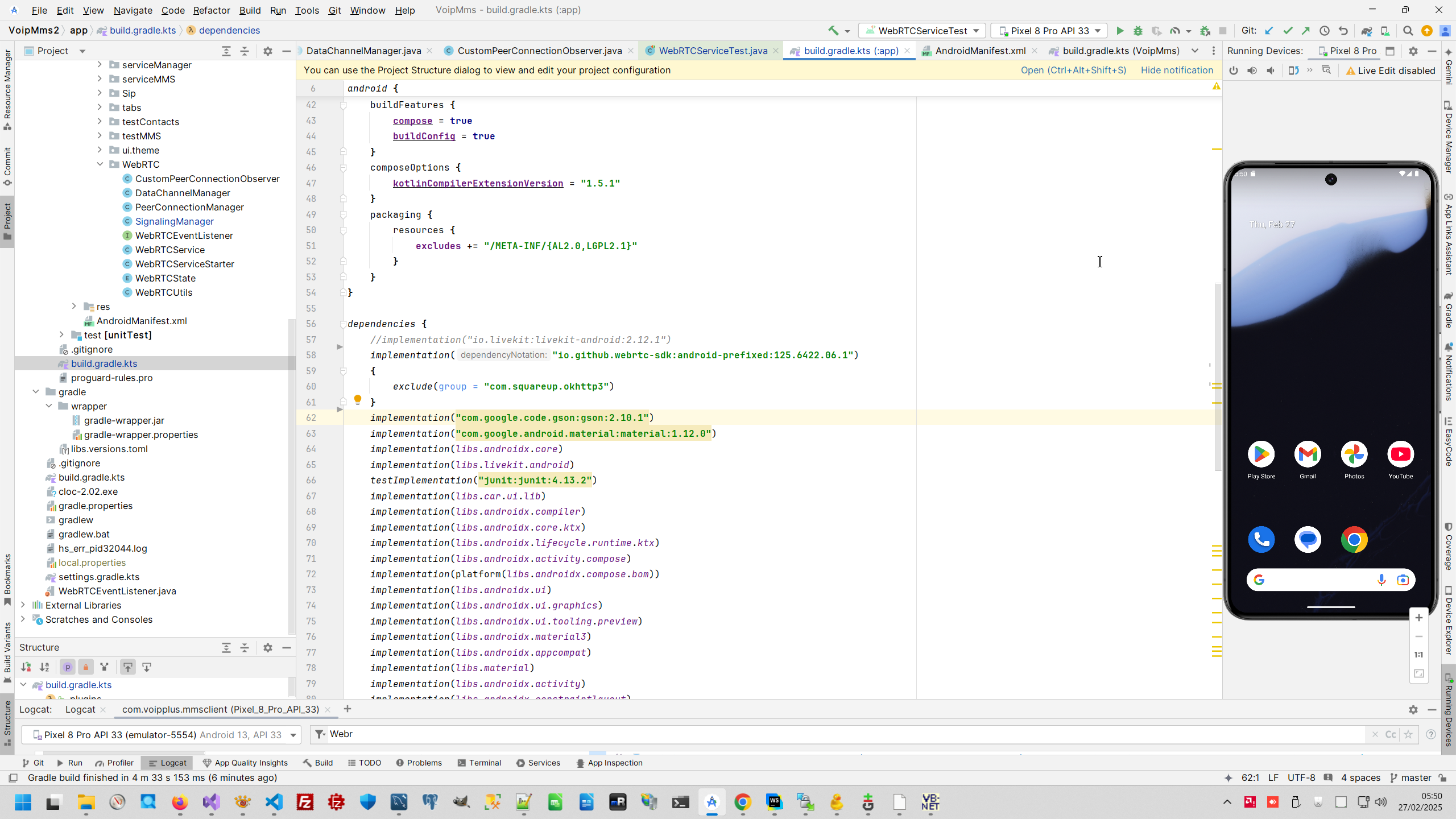
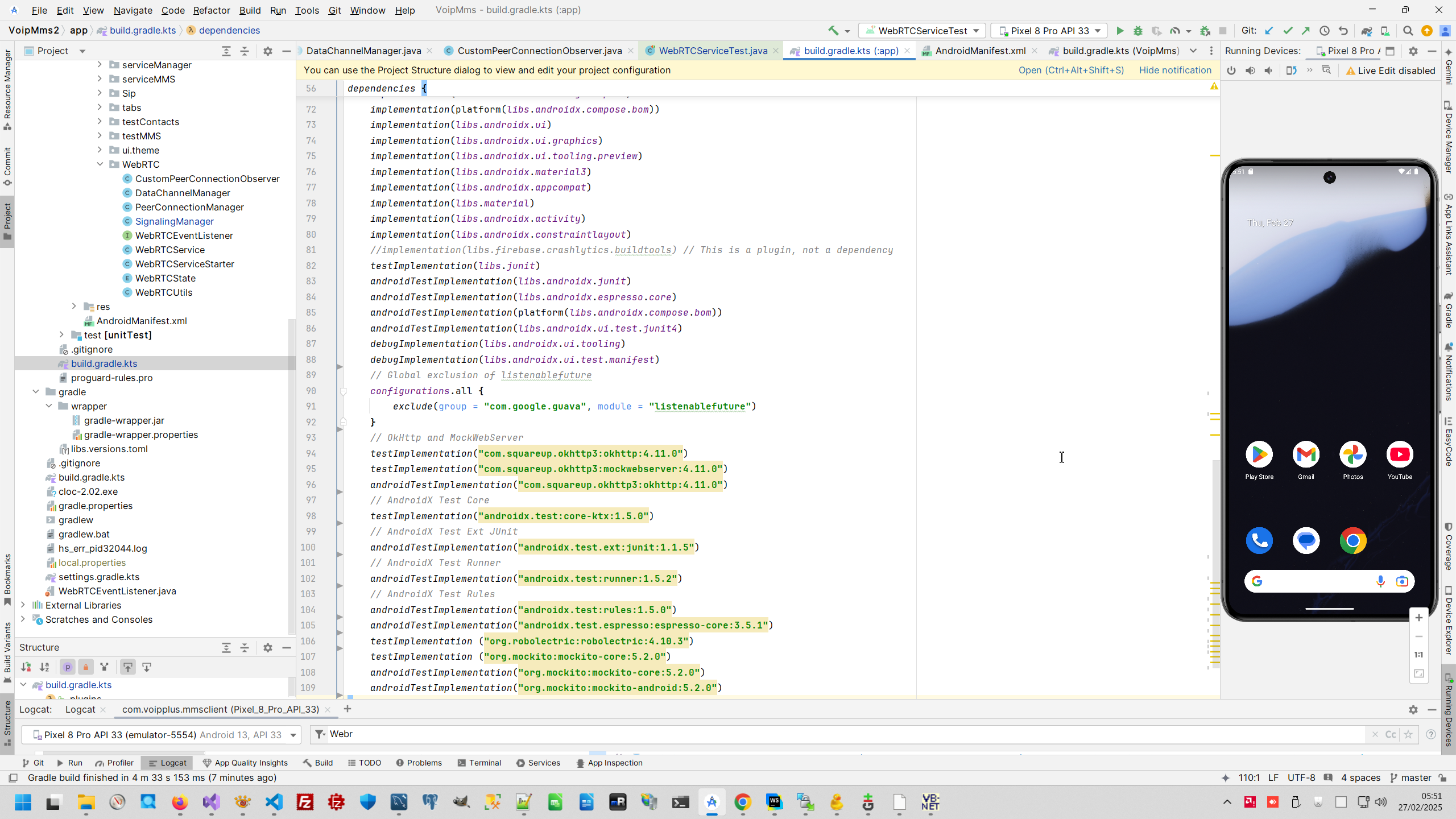
And this is full code of my Gradle file for this application.
And next item for whole puzzle to isolate Android service amd make Android test with mockito is correct Manifest definition with definition of service.
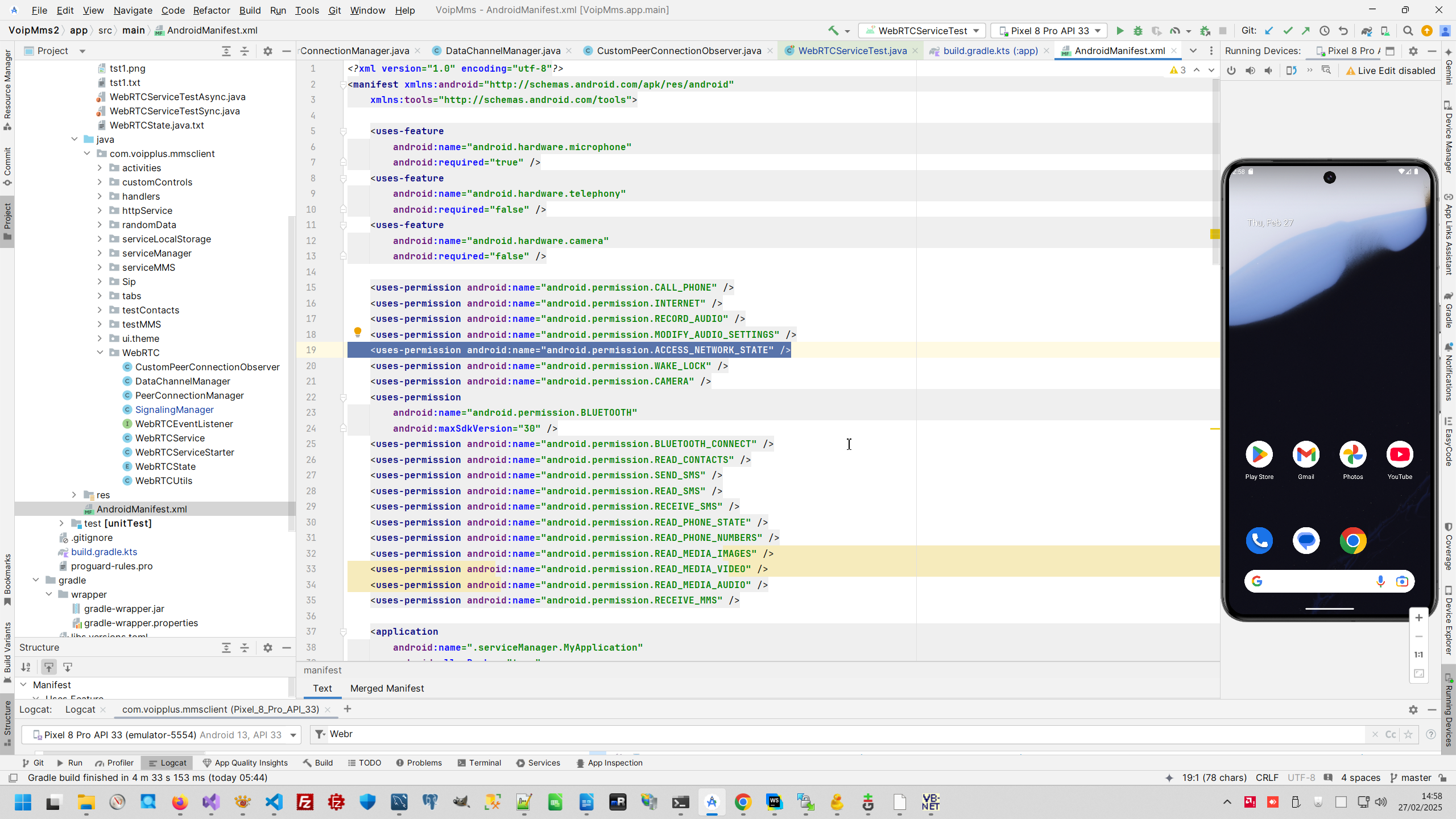
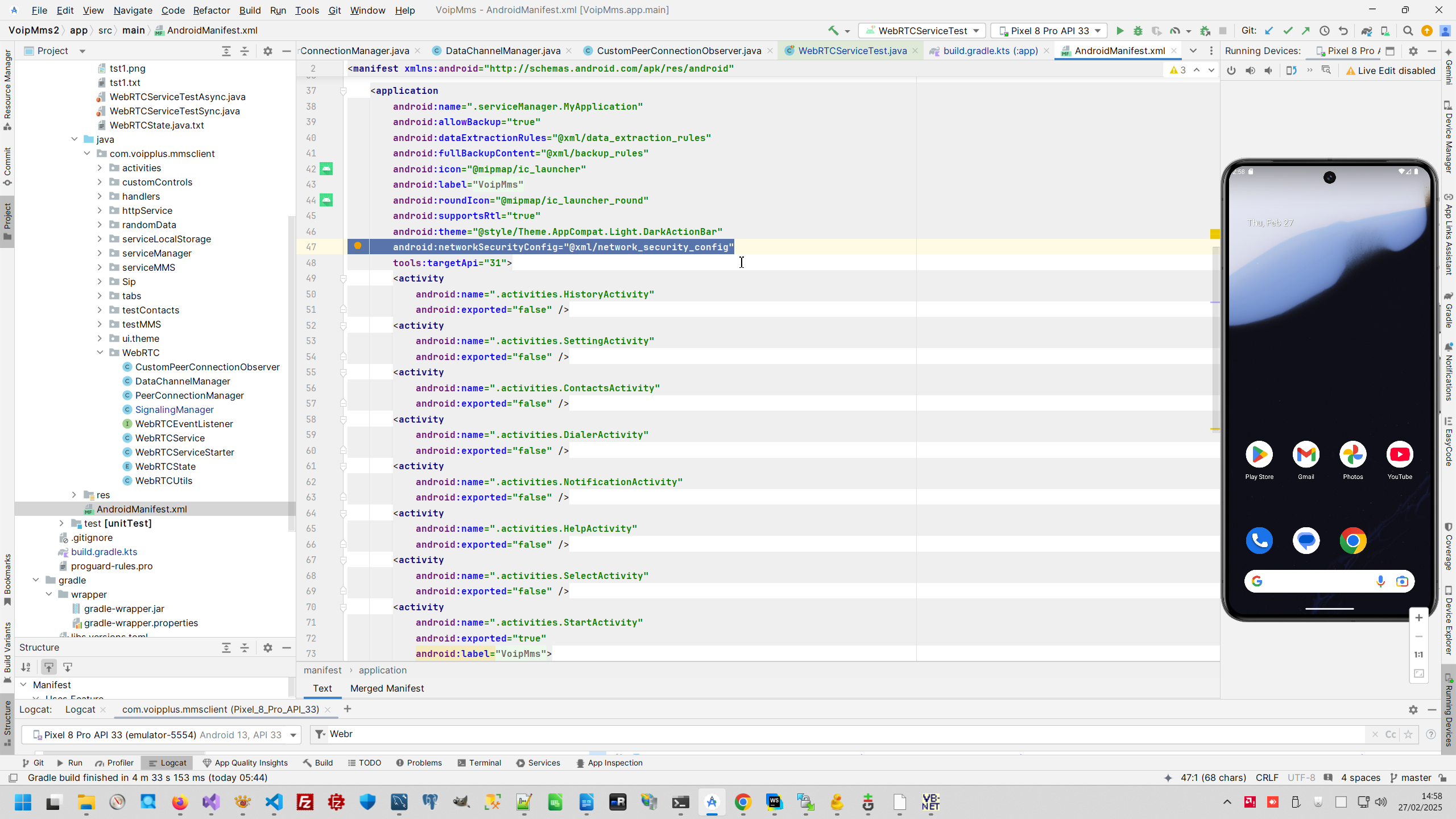
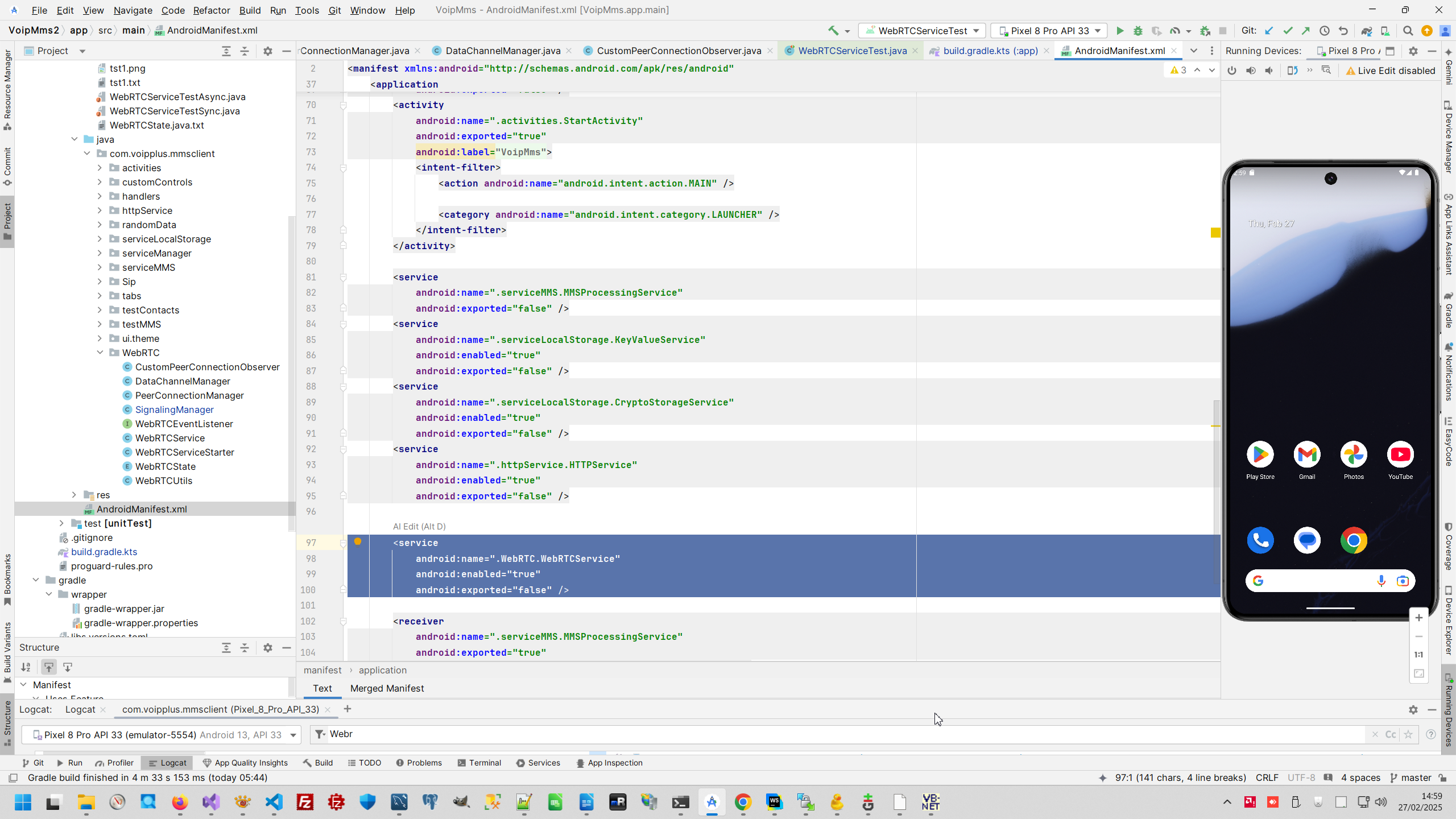
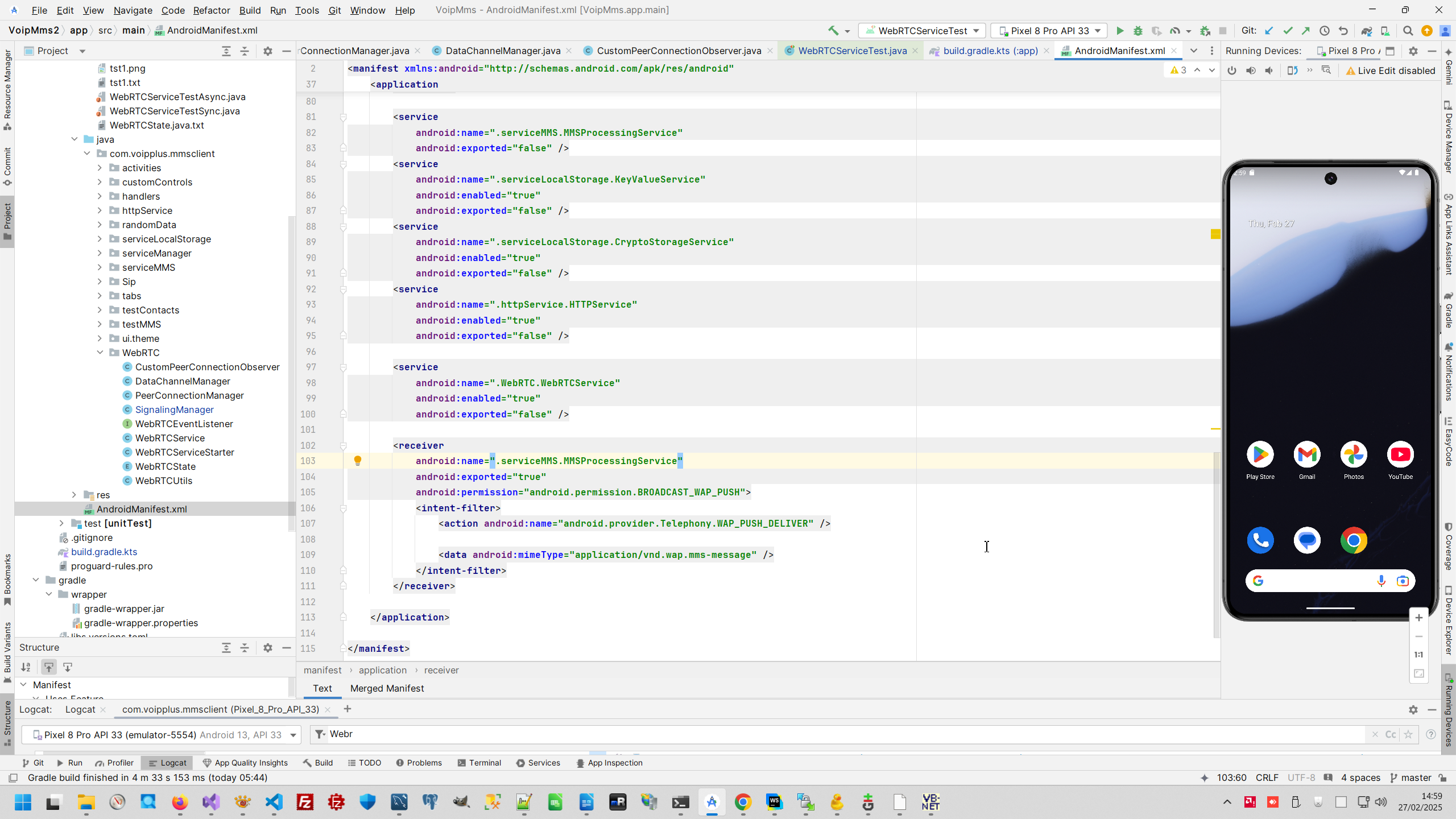
with 2 main point - correct definition of Android Service and correct network security policy res/xml/network_security_config.xml
5. Write code to mock WebRTC service.
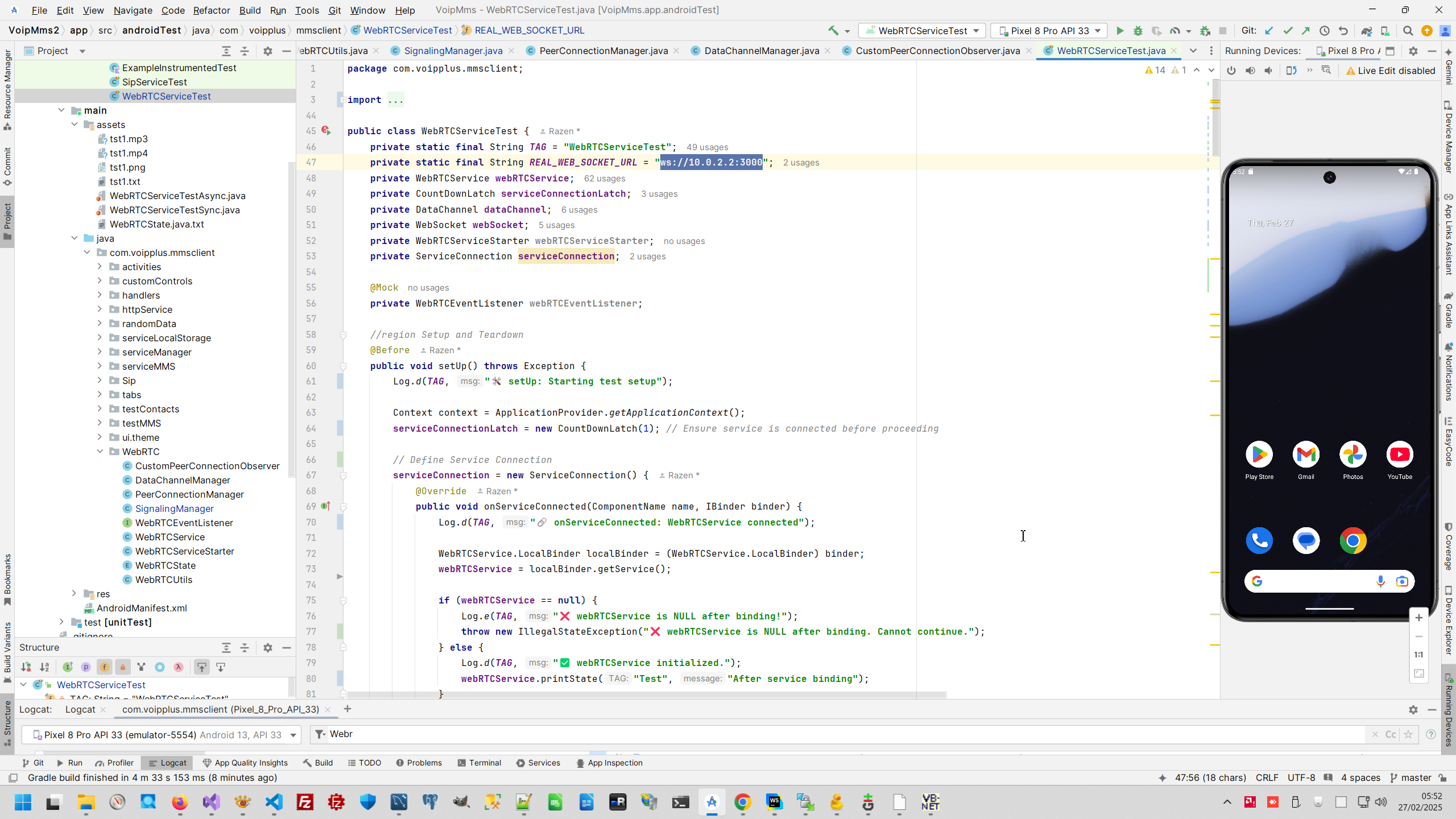
So, now all preparation is done, and we can start making test. This is my full test code.
6. Configure remote peer for test.
This project was terminated by customer's financial reason (he has no enough money to complete this project), therefore this component still don't working correctly, however you can see in this example my approach to create WebRTC Android application
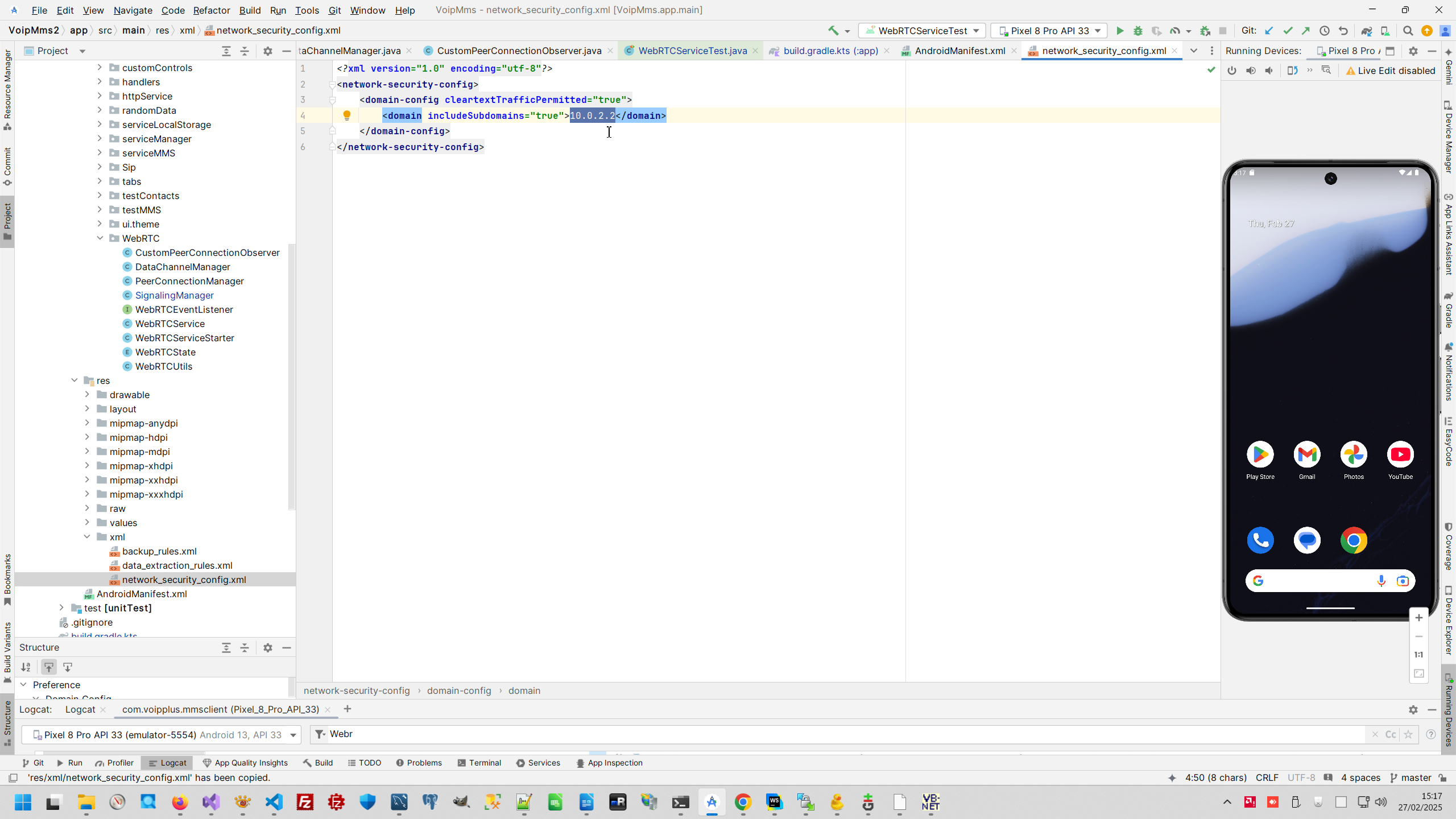
So, firstly, I have WebRTC test peer, what I used for debugging many of my WebRTC application, I mention this test peer in ths post My new project with WebRTC, what is WebRTC?, however for this test that test peer was changed (for example to enforce fixed datachannel name "testDataChannel" and many other changing). This test peer started on the local developer's computer and accessible from Android as REAL_WEB_SOCKET_URL = "ws://10.0.2.2:3000".
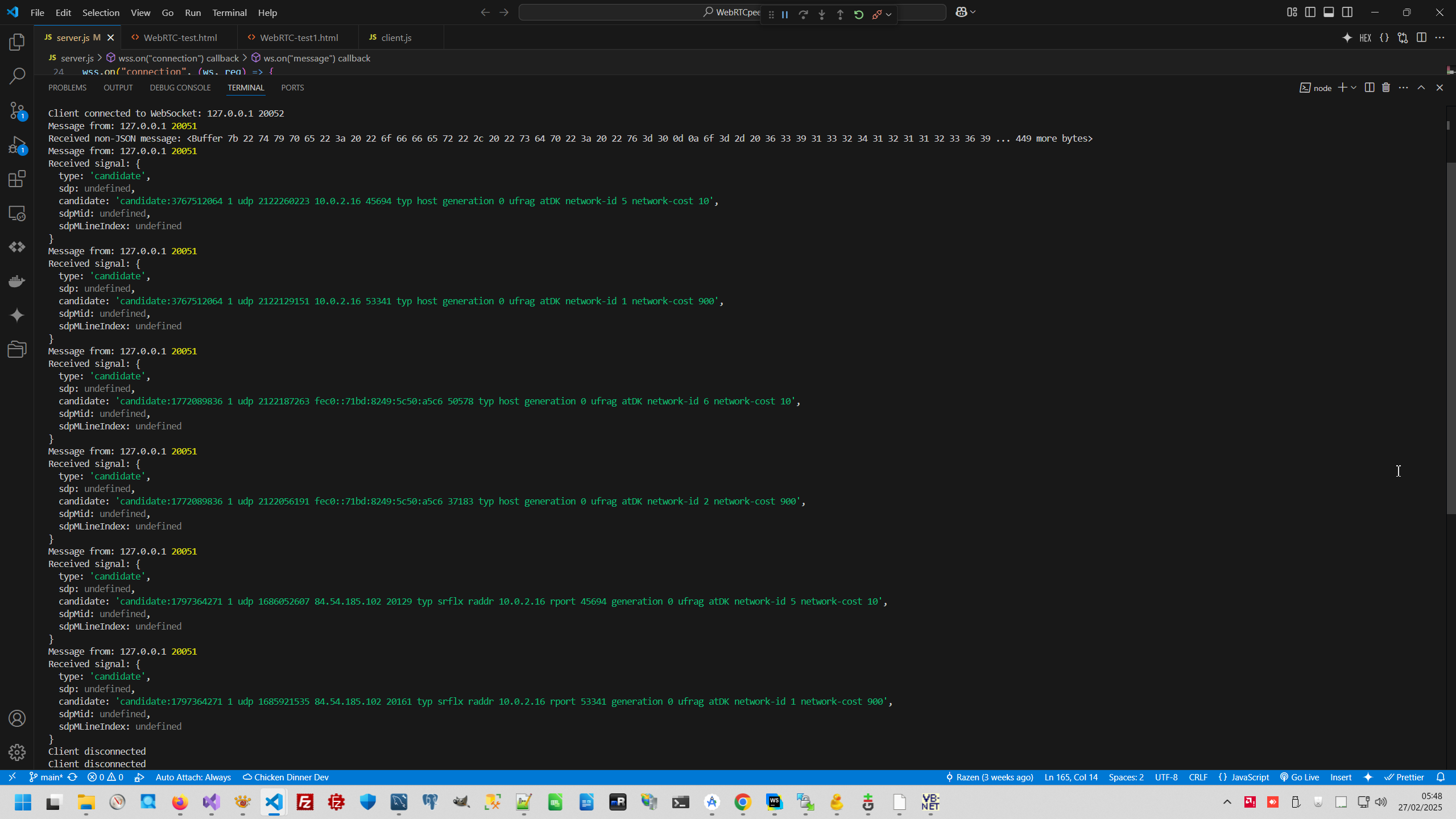
You can check that 127.0.0.1 is accessible as 10.0.2.2 with adb also you can check that firewall not prevent socket connection.
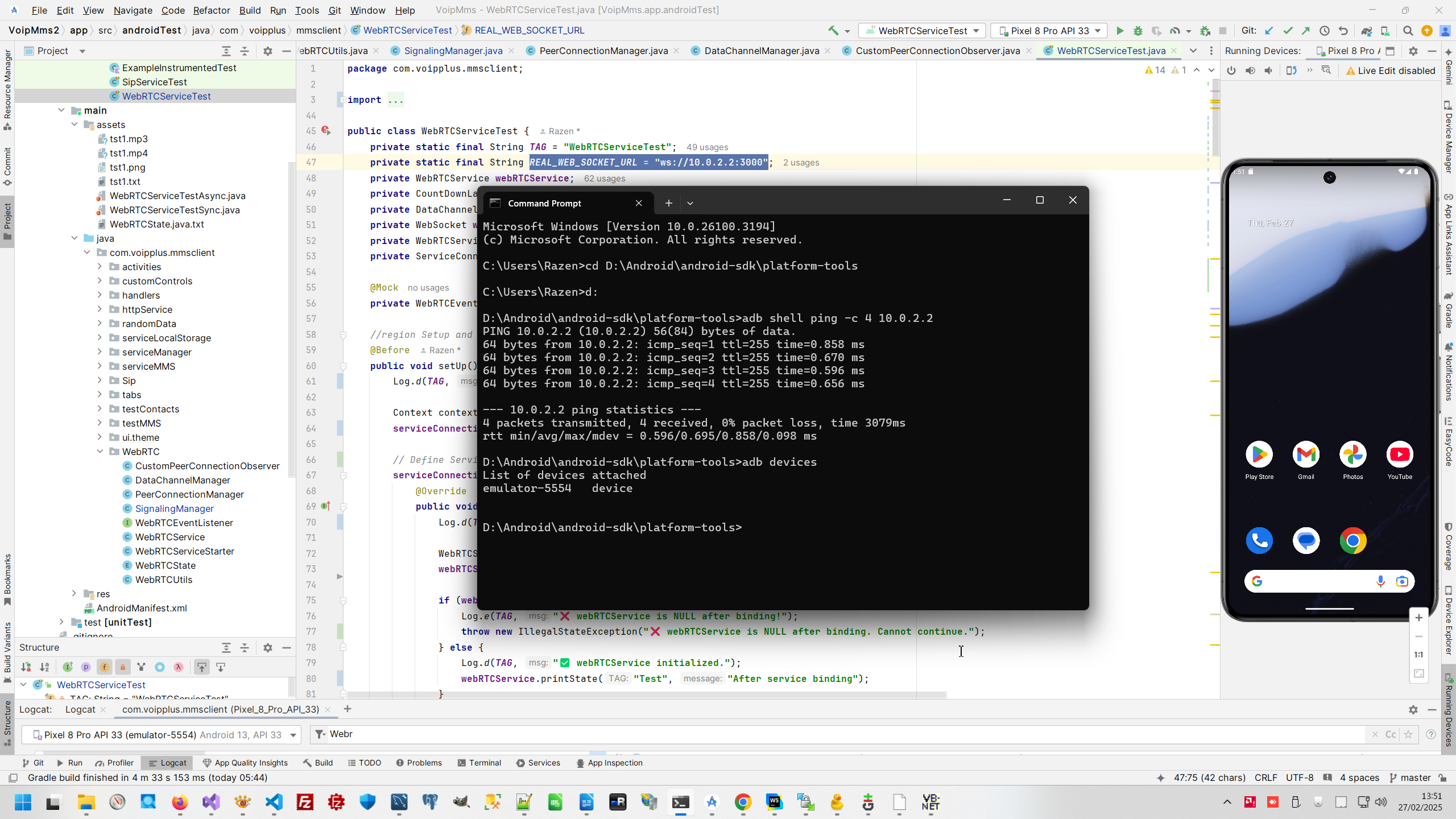
Most important point to allow Android emulator to communication with end-point 10.0.2.2, I set this in res/xml/network_security_config.xml and refer to this setting from Manifest.
7. Positive result of testing.
Test result is positive, I found bug - DataChannel not opened and test files I prepared not transferred to my test peer.
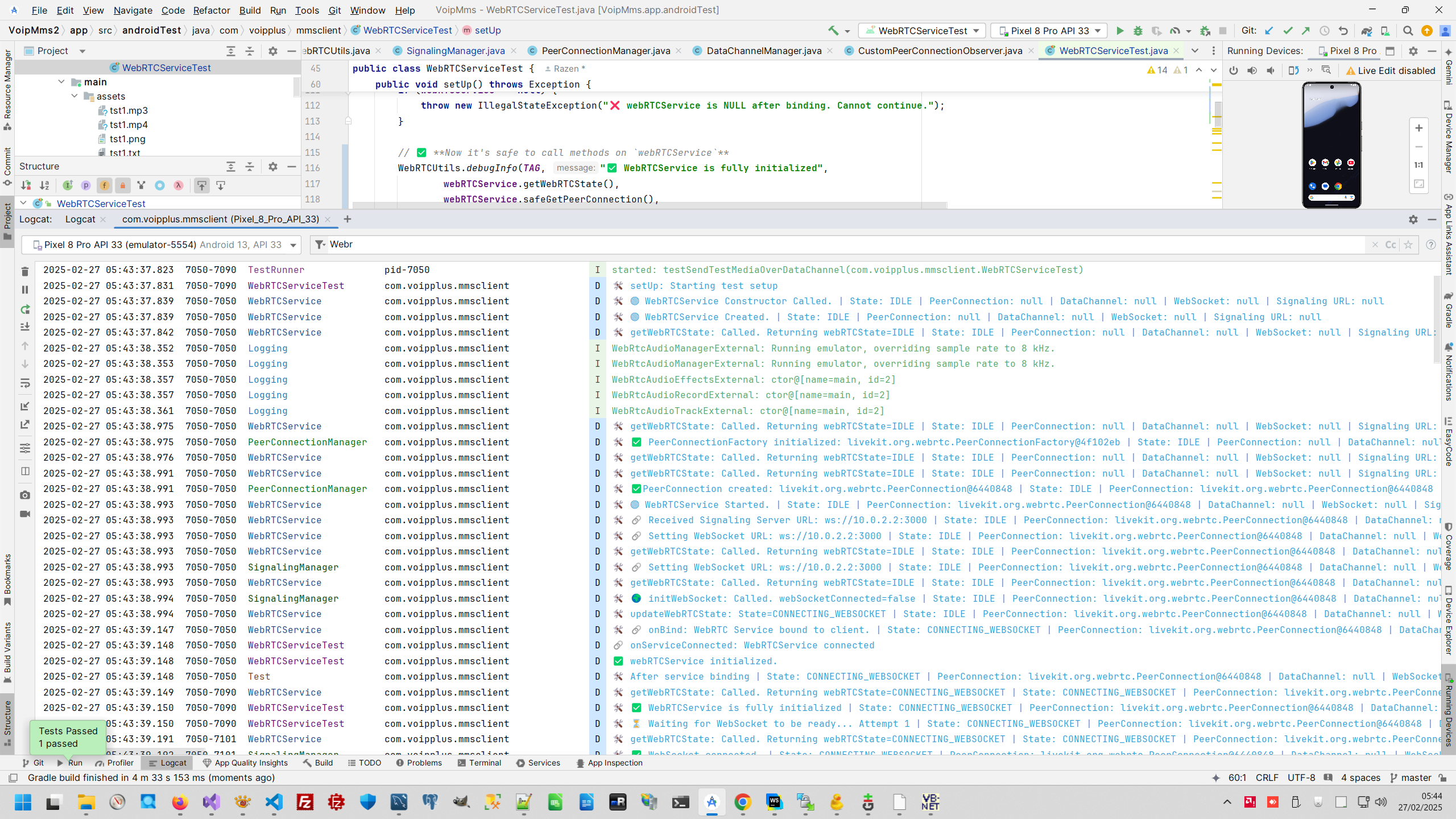
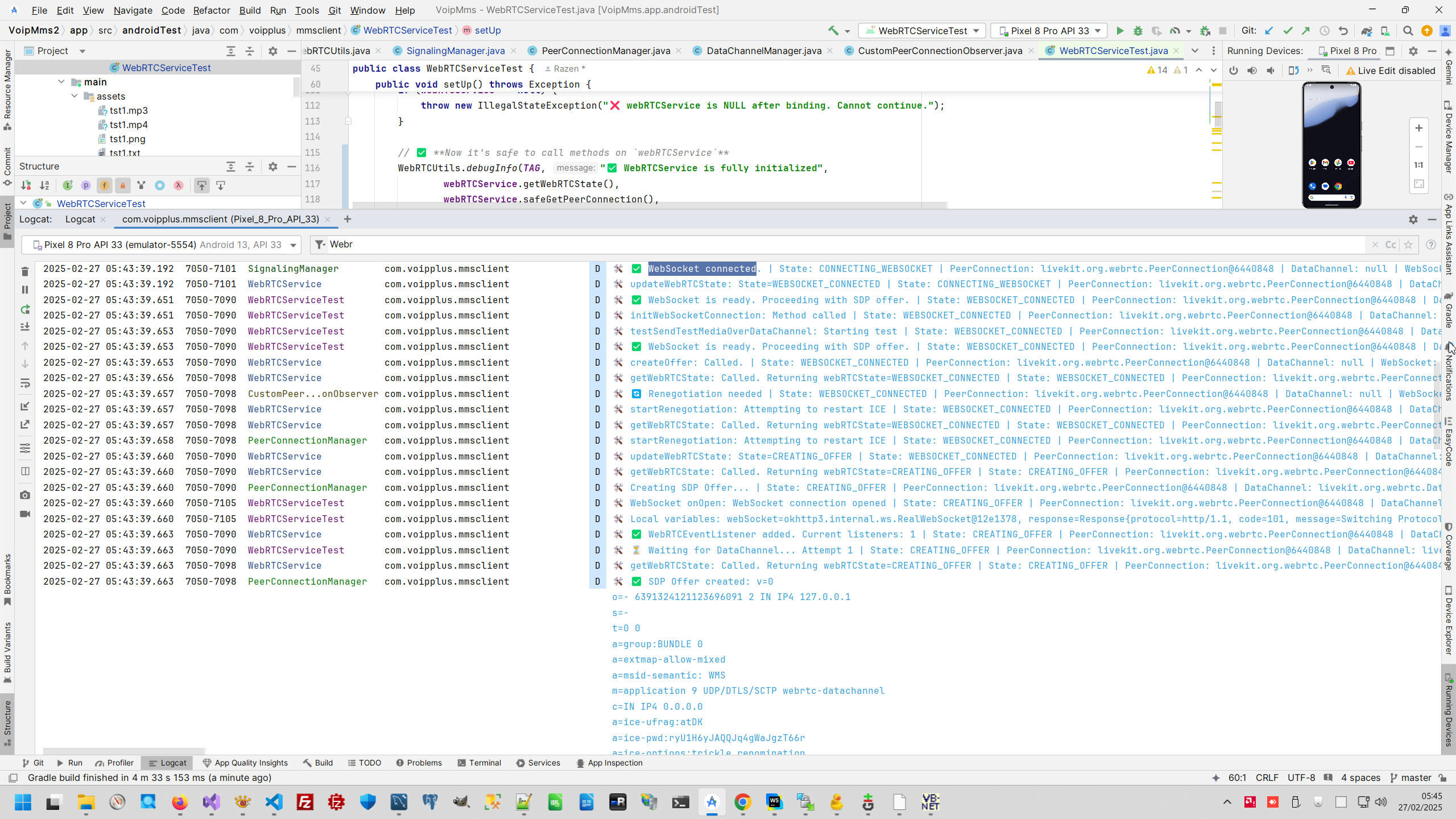
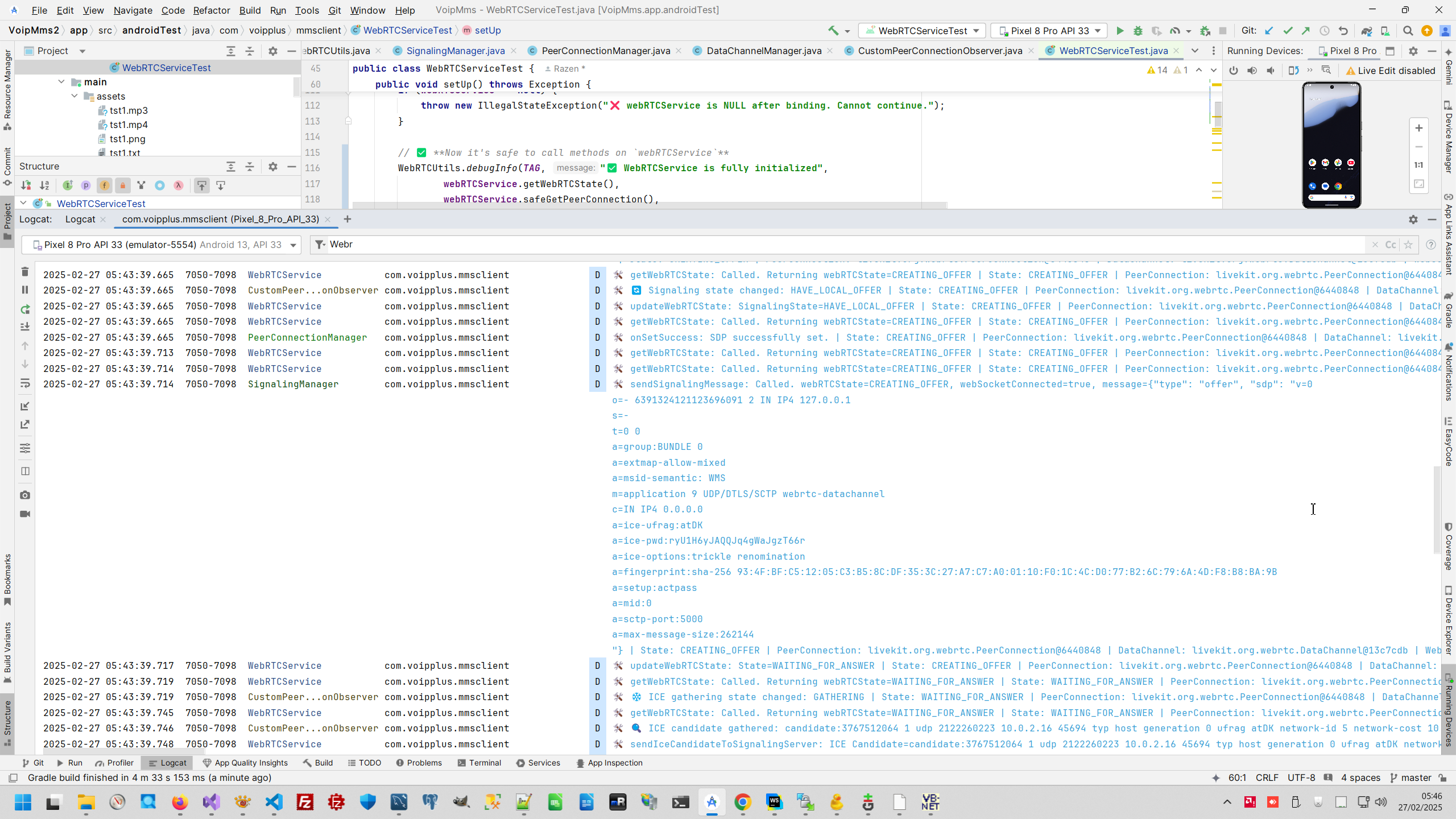

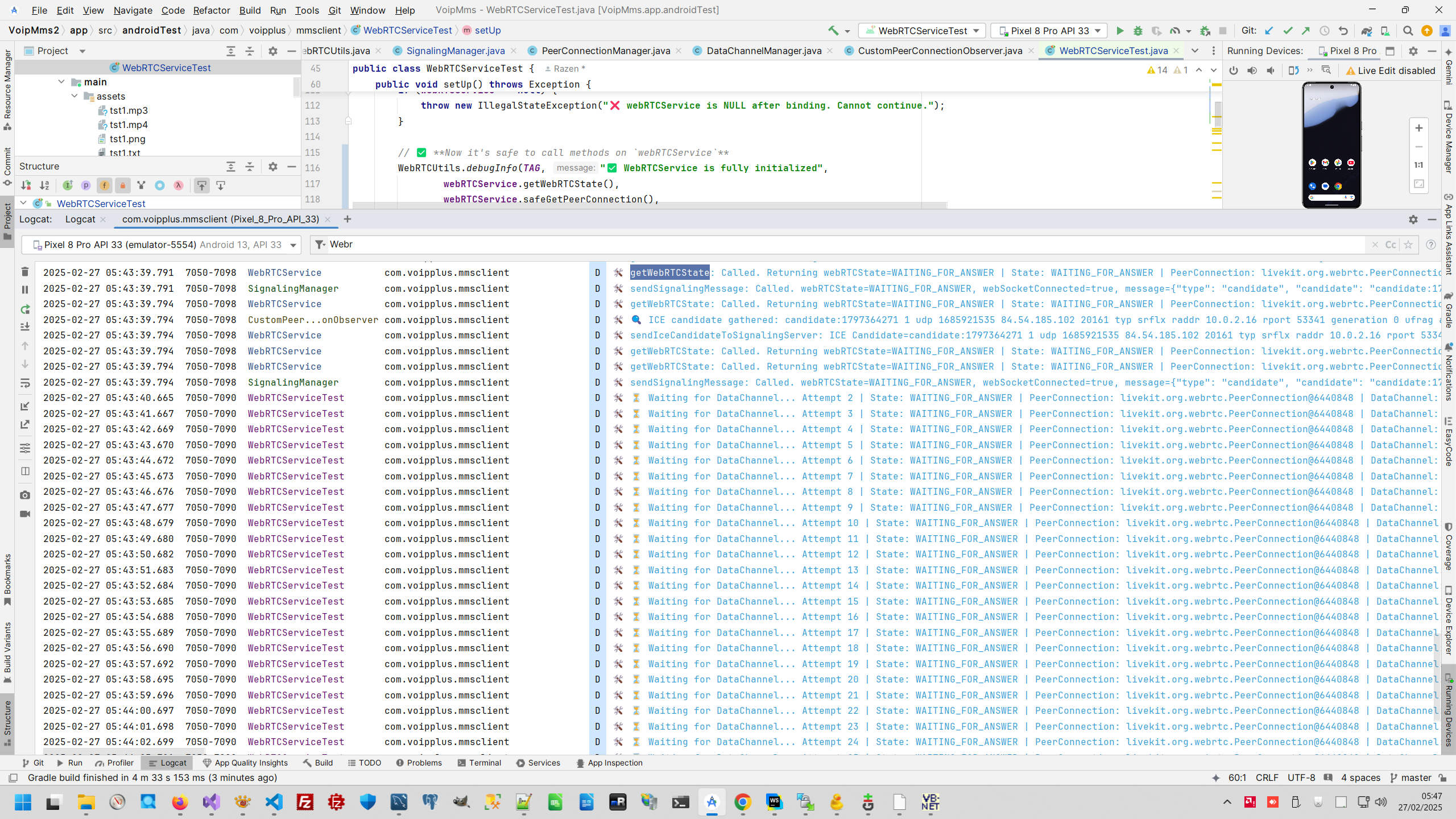
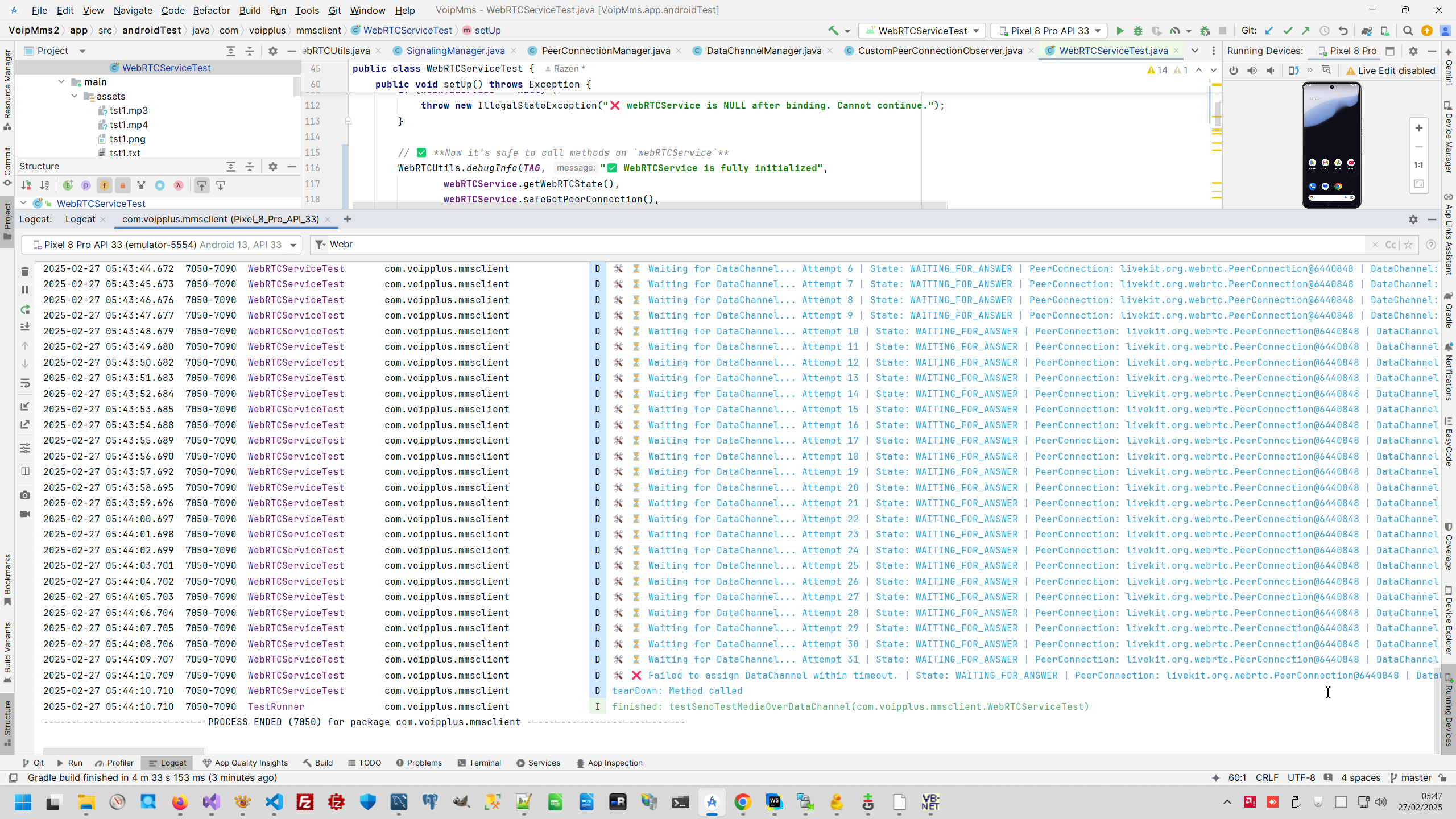
This is positive test result, I can clearly see trouble in my code. Code is very strong - asynchronous and event based, next step is resolve trouble and send prepared data to my test peer.

Unfortunately, when I reach this point of project development, customer decide to discard payment order and I leave this project. But my test reach positive result - I have clearly isolated my WebRTC service by Miskito framework and I can clearly detect issue in my service.
Android context:
Testing context:
 )
)
|
|