Modern Angular Typescript books
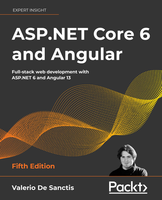
1. De Sanctis V. ASP.NET Core 6 and Angular. Full-stack.5ed 2022 ∅∅∅
Two players, one goal
The ASP NET Core revolution
What’s new in Angular?
Reasons for choosing NET and Angular
Chapter 2: Getting Ready
Technical requirements
A full-stack approach
MPAs, SPAs, PWAs, and NWAs
	Multi-page applications
	Single-page applications
	Progressive web applications
	Native web applications
	Product owner expectations
An example SPA project
	Not your usual Hello World!
Preparing the workspace
	Disclaimer – do (not) try this at home
		The broken code myth
		Stay hungry, stay foolish, yet be responsible as well
	Setting up the project(s)
		Installing the .NET 6 SDK
		Checking the SDK version
		Installing Node.js and Angular CLI
		Creating the .NET and Angular project
	Performing a test run
		Troubleshooting
	Architecture overview
Chapter 3: Looking Around
The ASP NET back-end
	Configuration files
		Program.cs
		appsettings.json
	Controllers
		WeatherForecastController
	Introducing OpenAPI (Swagger)
The Angular front-end
	The root files
		angular.json
		package.json
		tsconfig.json
		Other workspace-level files
	The /src/ folder
		The /src/app/ folder
	Our first test run
		First testing attempt
		Second testing attempt
Getting to work
	Changing the API endpoints
		Implementing the baseUrl property
	Refactoring the Angular app
		Adding HomeComponent
		Adding FetchDataComponent
		Adding the navigation menu
		Updating the AppComponent
		Adding the AppRoutingModule
		Finishing touches
		Test run
Chapter 4: Front-End and Back-End Interactions
Introducing ASP NET Core health checks
	Adding the HealthChecks middleware
	Adding an Internet Control Message Protocol (ICMP) check
		Possible outcomes
		Creating an ICMPHealthCheck class
		Adding the ICMPHealthCheck
	Improving the ICMPHealthCheck class
		Adding parameters and response messages
		Updating the middleware setup
		Implementing a custom output message
		Configuring the output message
Health checks in Angular
	Creating the Angular component
		Health-check.component.ts
		health-check.component.html
		health-check.component.css
	Adding the component to the Angular app
		AppRoutingModule
		NavMenuComponent
		Testing it out
Restyling the UI
	Introducing Angular Material
	Installing Angular Material
	Adding a MatToolbar
		Updating the AppModule
		Updating the NavMenuComponent HTML template
		First test run
	Playing with (S)CSS
		Introducing Sass
		Replacing CSS with Sass
		Restyling the tables
Chapter 5: Data Model with Entity Framework Core
The WorldCities web app
Updating the ASP.NET Core app
	Updating the Angular app
		Minimal UI restyling
	Reasons to use a data server
The data source
The data model
	Introducing Entity Framework Core
	Installing Entity Framework Core
	The SQL Server Data Provider
		DBMS licensing models
		What about Linux?
		SQL Server alternatives
	Data modeling approaches
		Code-First
		Database-First
		Making a choice
Creating the entities
	Defining the entities
		The City entity
		The Country entity
		Should we (still) use #region blocks?
	Defining relationships
		Adding the Country property to the City entity class
		Adding the Cities property to the Country entity class
	Defining the database table names
	Defining indexes
Getting a SQL Server instance
	Installing SQL Server 2019
	Installing the DB Management tool(s)
	Creating a SQL Database on Azure
		SQL Database
		SQL Managed Instance
		SQL virtual machine
		Making a choice
		Setting up a SQL Database
		Configuring the instance
	Configuring the database
		Creating the WorldCities database
		Adding the WorldCities login
		Mapping the login to the database
Creating the database using Code-First
	Setting up the DbContext
	Entity type configuration methods
		Data Annotations
		Fluent API
		EntityTypeConfiguration classes
		Making a choice
	Database initialization strategies
	Updating the appsettings.json file
	Securing the connection string
		Introducing Secrets Storage
		Adding the secrets.json file
		Working with the secrets.json file
	Creating the database
		Updating Program.cs
		Adding the initial migration
		Using the dotnet CLI
		Using the Package Manager Console
		Checking the autogenerated DB tables
		Understanding migrations
Populating the database
	Implement SeedController
	Import the Excel file
Entity controllers
	CitiesController
	CountriesController
	Should we really use Entities?
	Testing it out
Chapter 6: Fetching and Displaying Data
Fetching data
	Requests and responses
		JSON conventions and defaults
	A (very) long list
		city.ts
		cities.component.ts
		cities.component.html
		cities.component.scss
		app-routing.module.ts
		nav-component.html
Serving data with Angular Material
	Adding AngularMaterialModule
	Introducing MatTable
		Updating AngularMaterialModule
		Updating CitiesComponent
	Adding pagination with MatPaginatorModule
		Client-side paging
		Server-side paging
	Adding sorting with MatSortModule
		Extending ApiResult
		Installing System.Linq.Dynamic.Core
		Updating CitiesController
		Updating the Angular app
	Adding filtering
		Extending ApiResult (again)
		CitiesController
		CitiesComponent
		CitiesComponent template (HTML) file
		CitiesComponent style (SCSS) file
		AngularMaterialModule
		Performance considerations
Adding countries to the loop
	ASP.NET
		CountriesController
	Angular
		country.ts
		countries.component.ts
		countries.component.html
		countries.component.scss
		AppModule
		AppRoutingModule
		NavComponent
		Testing CountriesComponent
Chapter 7: Forms and Data Validation
Exploring Angular forms
	Forms in Angular
	Reasons to use forms
	Template-Driven Forms
		The pros
		The cons
	Model-Driven/Reactive Forms
Building our first Reactive Form
	ReactiveFormsModule
	CityEditComponent
		city-edit.component.ts
		city-edit.component.html
		city-edit.component.scss
	Adding the navigation link
		app-routing.module.ts
		cities.component.html
Adding a new city
	Extending the CityEditComponent
	Adding the “Add a new City” button
		Adding a new route
	HTML select
	Angular Material select (MatSelectModule)
Understanding data validation
	Template-Driven validation
	Model-Driven validation
		Our first validators
		Testing the validators
	Server-side validation
		DupeCityValidator
Introducing the FormBuilder
	Creating the CountryEditComponent
		country-edit.component.ts
		The IsDupeField server-side API
		country-edit.component.html
		country-edit.component.scss
		AppRoutingModule
		CountriesComponent
	Testing the CountryEditComponent
Improving the filter behavior
	Throttling and debouncing
	Definitions
	Why would we want to throttle or debounce our code?
	Debouncing calls to the back-end
		Updating the CitiesComponent
		Updating the CountriesComponent
	What about throttling?
Chapter 8: Code Tweaks and Data Services
Optimizations and tweaks
	Template improvements
		Form validation shortcuts
	Class inheritance
		Implementing a BaseFormComponent
		Extending CountryEditComponent
		Extending CityEditComponent
Bug fixes and improvements
	Validating lat and lon
		city-edit.component.ts
		base-form.component.ts
		city-edit.component.html
	Adding the number of cities
		Table of Contentsxiv
		CountriesController
		Creating the CountryDTO class
		Angular front-end updates
	DTO classes – should we really use them?
		Separation of concerns
		Security considerations
		DTO classes versus anonymous types
		Securing entities
		Final thoughts
	Adding the country name
		CitiesController
		Angular front-end updates
Data services
	XMLHttpRequest versus Fetch (versus HttpClient)
		XMLHttpRequest
		Fetch
		HttpClient
	Building a data service
		Creating the BaseService
		Adding the common interface methods
		Creating CityService
		Implementing CityService
		Creating CountryService
Chapter 9: Back-End and Front-End Debugging
Back-end debugging
	Windows or Linux?
	The basics
	Conditional breakpoints
		Conditions
		Actions
		Testing the conditional breakpoint
	The Output window
		LogLevel types
		Testing the LogLevel
		Configuring the Output window
	Debugging EF Core
		The GetCountries() SQL query
Front-end debugging
	Visual Studio JavaScript debugging
		JavaScript source maps
	Browser developer tools
	Angular form debugging
		A look at the Form Model
		The pipe operator
		Reacting to changes
		The activity log
	Client-side debugging
	Unsubscribing the Observables
		The unsubscribe() method
		The takeUntil() operator
		Other viable alternatives
		Should we always unsubscribe?
Application logging
	Introducing ASP.NET Core logging
	DBMS structured logging with Serilog
		Installing the NuGet packages
		Configuring Serilog
		Logging HTTP requests
		Accessing the logs
Chapter 10: ASP.NET Core and Angular Unit Testing
ASP NET Core unit tests
	Creating the WorldCitiesAPI.Tests project
		Moq
		Microsoft.EntityFrameworkCore.InMemory
		Adding the WorldCities dependency reference
	Our first test
		Arrange
		Act
		Assert
		Executing the test
		Debugging tests
	Test-driven development
	Behavior-driven development
Angular unit tests
	General concepts
		Introducing the TestBed interface
		Testing with Jasmine
	Our first Angular test suite
		The import section
		The describe and beforeEach sections
		Adding a mock CityService
		Implementing the mock CityService
		Configuring the fixture and the component
		Creating the title test
		Creating the cities tests
		Running the test suite
Chapter 11: Authentication and Authorization
To auth, or not to auth
	Authentication
		Authentication methods
		Third-party authentication
	Authorization
		Proprietary authorization
		Third-party authorization
	Proprietary versus third-party
Proprietary auth with NET Core
	The ASP.NET Core Identity model
		Entity types
	Setting up ASP.NET Core Identity
		Adding the NuGet packages
		Creating ApplicationUser
		Extending ApplicationDbContext
		Configuring the ASP.NET Core Identity service
		Implementing AccountController
		Configuring JwtBearerMiddleware
		Updating SeedController
		Securing the action methods
		A word on async tasks, awaits, and deadlocks
Updating the database
	Adding identity migration
	Applying the migration
		Updating the existing data model
		Dropping and recreating the data model from scratch
	Seeding the data
Implementing authentication in Angular
	Adding the LoginRequest interface
	Adding the LoginResult interface
	Implementing AuthService
	Creating LoginComponent
		login.component.ts
		login.component.html
		login.component.scss
		Updating AppRoutingModule
		Updating NavMenuComponent
		Testing LoginComponent
	Adding the authStatus observable
		Updating the UI
		Testing the observable
	HttpInterceptors
		Implementing AuthInterceptor
		Updating AppModule
		Testing HttpInterceptor
	Route Guards
		Available guards
		Implementing AuthGuard
		Updating AppRoutingModule
		Testing AuthGuard
Chapter 12: Progressive Web Apps
PWA distinctive features
	Secure origin
	Offline loading
		Service workers versus HttpInterceptors
	Introducing @angular/service-worker
	The ASP.NET Core PWA middleware alternative
Implementing the PWA requirements
	Manual installation
		Adding the @angular/service-worker npm package
		Updating the angular.json file
		Importing ServiceWorkerModule
		Updating the index.html file
		Adding the Web App Manifest file
		Adding the favicon
		Adding the ngsw-config.json file
	Automatic installation
		The Angular PNG icon set
Handling the offline status
	Option 1 – the window’s ononline/onoffline event
	Option 2 – the Navigator.onLine property
		Downsides of the JavaScript approaches
	Option 3 – the angular-connection-service npm package
		Installing the service
		Updating the AppModule file
		Updating the AppComponent
	Adding the api/heartbeat endpoint
		Introducing Minimal APIs
	Cross-Origin Resource Sharing
		Implementing CORS
Testing the PWA capabilities
	Compiling the app
	Installing http-server
	Testing out our PWAs
		Installing the PWA
Chapter 13: Beyond REST – Web API with GraphQL
GraphQL versus REST
	REST
		Guiding constraints
		Drawbacks
	GraphQL
		Advantages over REST
		Limitations
Implementing GraphQL
	Adding GraphQL to ASP.NET Core
		Installing HotChocolate
		Testing the GraphQL schema
	Adding GraphQL to Angular
		Installing Apollo Angular
		Refactoring CityService
		Refactoring CountryService
Chapter 14: Real-Time Updates with SignalR
Real-time HTTP and Server Push
	Introducing SignalR
		Hubs
		Protocols
		Connections, Users, and Groups
Implementing SignalR
	Setting up SignalR in ASP.NET Core
		Creating the HealthCheckHub
		Setting up services and middleware
		Adding the Broadcast Message
	Installing SignalR in Angular
		Adding the npm package
		Implementing the HealthCheckService
		Refactoring the HealthCheckComponent
Testing it all
Client-initiated Events
	Updating the HealthCheckHub
	Updating the HealthCheckService
	Updating the HealthCheckComponent
	Testing the new feature
Chapter 15: Windows, Linux, and Azure Deployment
Getting ready for production
	Configuring the endpoints
		Tweaking the HOSTS file
		Other viable alternatives
	ASP.NET Core deployment tips
		The launchSettings.json file
		Runtime environments
		.NET deployment modes
	Angular deployment tips
		ng serve, ng build, and the package.json file
		Differential loading
		The angular.json configuration file(s)
		Updating the environment.prod.ts file(s)
		Automatic deployment
Windows deployment
	Creating a Windows Server VM on MS Azure
		Accessing the MS Azure portal
		Adding a new Windows VM
		Configuring a DNS name label
		Setting the inbound security rules
	Configuring the Windows VM
		Adding the IIS web server
		Installing the ASP.NET Core Windows hosting bundle
	Publishing HealthCheck and HealthCheckAPI
		Introducing Visual Studio publish profiles
		Folder publish profile
		FTP publish profile
		Azure Virtual Machine publish profile
	Configuring IIS
		Adding the HealthCheck website entry
		Adding the HealthCheckAPI website entry
		A note on TLS/SSL certificates
		Configuring the IIS application pool
		Adding the .webmanifest MIME Type
	Testing HealthCheck and HealthCheckAPI
		Testing the app
Linux deployment
	Creating a Linux CentOS VM on MS Azure
		Adding a new Linux VM
		Configuring a DNS name label
		Setting the inbound security rules
	Configuring the Linux VM
		Connecting to the VM
		Installing the ASP.NET Core runtime
		Installing Nginx
		Opening the 80 and 443 TCP ports
	Publishing WorldCities and WorldCitiesAPI
		Building the Angular app
		Building the WorldCitiesAPI app
		Deploying the files to the Linux VM
		Configuring Kestrel and Nginx
	Testing WorldCities and WorldCitiesAPI
		Testing the app
		Troubleshooting
Azure App Service deployment
	Creating the App Service instances
		Adding the HealthCheck App Service
		Adding the HealthCheckAPI App Service
	Adapting our apps for App Service
	Publishing our apps to App Service
		Publishing the Angular app
		Publishing the ASP.NET Core project
		Testing HealthCheck and HealthCheckAPI
2. Ninja S. Become A Ninja With Angular (v14.1.0) 2022 ∅∅∅
%202022_1.png)
2.1. Transpilers
2.2. let.
2.3. Constants
2.4. Shorthands in object creation
2.5. Destructuring assignment
2.6. Default parameters and values
2.7. Rest operator
2.8. Classes
2.9. Promises
2.10. Arrow functions
2.11. Async/await
2.12. Sets and Maps
2.13. Template literals
2.14. Modules
2.15. Conclusion
Going further than ES2015+
3.1. Dynamic, static and optional types
3.2. Enters TypeScript
3.3. A practical example with DI
4. Diving into TypeScript
4.1. Types as in TypeScript
4.2. Enums
4.3. Return types
4.4. Interfaces
4.5. Optional arguments
4.6. Functions as property
4.7. Classes
4.8. Working with other libraries
4.9. Decorators
5. Advanced TypeScript
5.1. readonly
5.2. keyof
5.3. Mapped type
5.4. Union types and type guards
6. The wonderful land of Web Components
6.1. A brave new world
6.2. Custom elements
6.3. Shadow DOM
6.4. Template
6.5. Frameworks on top of Web Components
7. Grasping Angular’s philosophy 8. From zero to something
8.1. Node.js and NPM
8.2. Angular CLI
8.3. Application structure
8.4. Our first component
8.5. Our first Angular Module
8.6. Bootstrapping the app
9. The templating syntax
9.1. Interpolation
9.2. Using other components in our templates
9.3. Property binding
9.4. Events
9.5. Expressions vs statements
9.6. Local variables
9.7. Structural directives
9.8. Other template directives
9.9. Summary
10. Building components and directives
10.1. Introduction
10.2. Directives
10.3. Components
11. Styling components and encapsulation
11.1. Shadow DOM strategy
11.2. Emulated strategy
11.3. None strategy
11.4. Styling the host
12. Pipes
12.1. Pied piper
12.2. json
12.3. slice
12.4. keyvalue
12.5. uppercase
12.6. lowercase
12.7. titlecase
12.8. number
12.9. percent
12.10. currency
12.11. date
12.12. async
12.13. A pipe in your code
12.14. Creating your own pipes
13. Dependency injection
13.1. DI yourself
13.2. Easy to develop
13.3. Easy to configure
13.4. Other types of provider
13.5. Hierarchical injectors
13.6. DI without types
14. Services
14.1. Title service
14.2. Meta service
14.3. Making your own service
15. Reactive Programming
15.1. Call me maybe
15.2. General principles
15.3. RxJS
15.4. Reactive programming in Angular
16. Testing your app
16.1. The problem with troubleshooting is that trouble shoots back
16.2. Unit test
16.3. Fake dependencies
16.4. Testing components
16.5. Testing with fake templates, providers
16.6. Simpler, cleaner unit tests with ngx-speculoos
16.7. End-to-end tests (e2e)
17. Send and receive data through HTTP
17.1. Getting data
17.2. Transforming data
17.3. Advanced options
17.4. Jsonp
17.5. Interceptors
17.6. Context
17.7. Tests
18. Router
18.1. En route
18.2. Navigation
18.3. Redirects
18.4. Matching strategy
18.5. Hierarchical and empty-path routes
18.6. Guards
18.7. Resolvers
18.8. Router events
18.9. Parameters and data
18.10. Lazy loading
19. Forms
19.1. Forms, dear forms
19.2. Template-driven
19.3. Code-driven
19.4. Adding some validation
19.5. Errors and submission
19.6. Add some style
19.7. Creating a custom validator
19.8. Grouping fields
19.9. Reacting to changes
19.10. Updating on blur or on submit only
19.11. FormArray and FormRecord
19.12. Strictly typed forms
19.13. Super simple validation error messages with ngx-valdemort
19.14. Going further: define custom form inputs with ControlValueAccessor
19.15. Summary
20. Zones and the Angular magic
20.1. AngularJS 1.x and the digest cycle
20.2. Angular and zones
21. Angular compilation: Just in Time vs Ahead of Time
21.1. Code generation
21.2. Ahead of Time compilation
22. Advanced observables
22.1. Subscribe, unsubscribe and async pipe
22.2. Leveraging operators
22.3. Building your own Observable
22.4. Managing state with stores (NgRx, NGXS, Akita and friends
22.5. Conclusion
23. Advanced components and directives
23.1. View queries
23.2. Content
23.3. Content queries
23.4. Conditional and contextual content projection: ng-template and ngTemplateOutlet
23.5. Host listener
23.6. Host binding
24. Standalone components
24.1. All by myself
24.2. Usage in existing applications
24.3. CLI support
24.4. Application bootstrap
24.5. Optional NgModules
24.6. Providers
24.7. Lazy loading routes
24.8. Initialization
24.9. Caveats
24.10. Summary
25. Internationalization
25.1. The locale
25.2. Default currency
25.3. Translating text
25.4. Process and tooling
25.5. Translating messages in the code
25.6. Pluralization
25.7. Best practices
26. Performances
26.1. First load
26.2. Reload
26.3. Profiling
26.4. Runtime performances
26.5. NgZone
27. Going to production
27.1. Environments and configurations
27.2. strictTemplates
27.3. enableProdMode
27.4. Package your application
27.5. Server configuration
27.6. Conclusion
28. This is the end
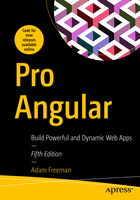
3. Pro Angular - Build Powerful and Dynamic Web Apps, 5th Edition ∅∅∅
Understanding Where Angular Excels
	Understanding Round-Trip and Single-Page Applications
Comparing Angular to React and Vuejs
What Do You Need to Know?
What Is the Structure of This Book?
	Part 1: Getting Started with Angular
	Part 2: Angular in Detail
	Part 3: Advanced Angular Feature
What Doesn’t This Book Cover?
What Software Do I Need for Angular Development?
How Do I Set Up the Development Environment?
What If I Have Problems Following the Examples?
What If I Find an Error in the Book?
Are There Lots of Examples?
Where Can You Get the Example Code?
How Do I Contact the Author?
What If I Really Enjoyed This Book?
What If This Book Has Made Me Angry and I Want to Complain?
Chapter 2: Jumping Right In
Getting Ready
	Installing Nodejs
	Installing an Editor
	Installing the Angular Development Package
	Choosing a Browser
Creating an Angular Project
	Opening the Project for Editing
	Starting the Angular Development Tools
Adding Features to the Application
	Creating a Data Model
	Displaying Data to the User
	Updating the Component
Styling the Application Content
	Applying Angular Material Components
	Defining the Spacer CSS Style
Displaying the List of To-Do Items
	Defining Additional Styles
Creating a Two-Way Data Binding
Filtering Completed To-Do Items
Adding To-Do Items
Finishing Up
Chapter 3: Primer, Part 1
Preparing the Example Project
	Understanding HTML
	Understanding Void Elements
	Understanding Attributes
	Applying Attributes Without Values
	Quoting Literal Values in Attributes
	Understanding Element Content
	Understanding the Document Structure
Understanding CSS and the Bootstrap Framework
Understanding TypeScript/JavaScript
	Understanding the TypeScript Workflow
	Understanding JavaScript vs TypeScript
	Understanding the Basic TypeScript/JavaScript Features
	Defining Variables and Constants
	Dealing with Unassigned and Null Values
	Using the JavaScript Primitive Types
	Using the JavaScript Operators
Chapter 4: Primer, Part 2
Preparing for This Chapter
	Defining and Using Functions
	Defining Optional Function Parameters
	Defining Default Parameter Values
	Defining Rest Parameters
	Defining Functions That Return Results
	Using Functions as Arguments to Other Functions
Working with Arrays
	Reading and Modifying the Contents of an Array
	Enumerating the Contents of an Array
	Using the Spread Operator
	Using the Built-in Array Methods
Working with Objects
	Understanding Literal Object Types
	Defining Classes
	Checking Object Types
Working with JavaScript Modules
	Creating and Using Modules
Working with Reactive Extensions
	Understanding Observables
	Understanding Observers
	Understanding Subjects
Chapter 5: SportsStore: A Real Application
Preparing the Project
	Installing the Additional NPM Packages
	Preparing the RESTful Web Service
	Preparing the HTML File
	Creating the Folder Structure
	Running the Example Application
	Starting the RESTful Web Service
Preparing the Angular Project Features
	Updating the Root Component
	Inspecting the Root Module
	Inspecting the Bootstrap File
Starting the Data Model
	Creating the Model Classes
	Creating the Dummy Data Source
	Creating the Model Repository
	Creating the Feature Module
Starting the Store
	Creating the Store Component and Template
	Creating the Store Feature Module
	Updating the Root Component and Root Module
Adding Store Features the Product Details
	Displaying the Product Details
	Adding Category Selection
	Adding Product Pagination
	Creating a Custom Directive
Chapter 6: SportsStore: Orders and Checkout
Preparing the Example Application
	Creating the Cart
	Creating the Cart Model
	Creating the Cart Summary Components
Integrating the Cart into the Store
Adding URL Routing
	Creating the Cart Detail and Checkout Components
	Creating and Applying the Routing Configuration
	Navigating Through the Application
	Guarding the Routes
Completing the Cart Detail Feature
Processing Orders
	Extending the Model
	Collecting the Order Details
Using the RESTful Web Service
	Applying the Data Source
Chapter 7: SportsStore: Administration
Preparing the Example Application
	Creating the Module
	Configuring the URL Routing System
	Navigating to the Administration URL
Implementing Authentication
	Understanding the Authentication System
	Extending the Data Source
	Creating the Authentication Service
	Enabling Authentication
Extending the Data Source and Repositories
Installing the Component Library
Creating the Administration Feature Structure
	Creating the Placeholder Components
	Preparing the Common Content and the Feature Module
	Implementing the Product Table Feature
	Implementing the Product Editor
	Implementing the Order Table Feature
Chapter 8: SportsStore: Progressive Features and Deployment
Preparing the Example Application
Adding Progressive Features
	Installing the PWA Package
	Caching the Data URLs
	Responding to Connectivity Changes
Preparing the Application for Deployment
	Creating the Data File
	Creating the Server
	Changing the Web Service URL in the Repository Class
Building and Testing the Application
	Testing the Progressive Features
Containerizing the SportsStore Application
	Installing Docker
	Preparing the Application
	Creating the Docker Container
	Running the Application
Chapter 9: Understanding Angular Projects and Tools
Creating a New Angular Project
Understanding the Project Structure
	Understanding the Source Code Folder
	Understanding the Packages Folder
Using the Development Tools
	Understanding the Development HTTP Server
	Understanding the Build Process
	Using the Linter
Understanding How an Angular Application Works
	Understanding the HTML Document
	Understanding the Application Bootstrap
	Understanding the Root Angular Module
Understanding the Angular Component
	Understanding Content Display
Understanding the Production Build Process
	Running the Production Build
Starting Development in an Angular Project
	Creating the Data Model
	Creating a Component and Template
	Configuring the Root Angular Module
Chapter 10: Using Data Bindings
Preparing for This Chapter
	Understanding One-Way Data Bindings
	Understanding the Binding Target
	Understanding the Expression
	Understanding the Brackets
	Understanding the Host Element
Using the Standard Property and Attribute Bindings
	Using the Standard Property Binding
	Using the String Interpolation Binding
	Using the Attribute Binding
Setting Classes and Styles
	Using the Class Bindings
	Using the Style Bindings
Updating the Data in the Application
Chapter 11: Using the Built-in Directives
Preparing the Example Project
Using the Built-in Directives
	Using the ngIf Directive
	Using the ngSwitch Directive
	Using the ngFor Directive
	Using the ngTemplateOutlet Directive
	Using Directives Without an HTML Element
Understanding One-Way Data Binding Restrictions
	Using Idempotent Expressions
	Understanding the Expression Context
Chapter 12: Using Events and Forms
Preparing the Example Project
	Importing the Forms Module
	Preparing the Component and Template
Using the Event Binding
	Using Event Data
	Handling Events in the Component
	Using Template Reference Variables
Using Two-Way Data Bindings
	Using the ngModel Directive
Working with Forms
	Adding a Form to the Example Application
	Adding Form Data Validation
	Validating the Entire Form
	Completing the Form
Chapter 13: Creating Attribute Directives
Preparing the Example Project
Creating a Simple Attribute Directive
	Applying a Custom Directive
Accessing Application Data in a Directive
	Reading Host Element Attributes
	Creating Data-Bound Input Properties
	Responding to Input Property Changes
Creating Custom Events
	Binding to a Custom Event
Creating Host Element Bindings
Creating a Two-Way Binding on the Host Element
Exporting a Directive for Use in a Template Variable
Chapter 14: Creating Structural Directives
Preparing the Example Project
Creating a Simple Structural Directive
	Implementing the Structural Directive Class
	Enabling the Structural Directive
	Using the Concise Structural Directive Syntax
Creating Iterating Structural Directives
	Providing Additional Context Data
	Using the Concise Structure Syntax
	Dealing with Property-Level Data Changes
	Dealing with Collection-Level Data Changes
Querying the Host Element Content
	Querying Multiple Content Children
	Receiving Query Change Notifications
Chapter 15: Understanding Components
Preparing the Example Project
Structuring an Application with Components
	Creating New Components
	Defining Templates
	Completing the Component Restructure
Using Component Styles
	Defining External Component Styles
	Using Advanced Style Features
Querying Template Content
Chapter 16: Using and Creating Pipes
Preparing the Example Project
Understanding Pipes
	Creating a Custom Pipe
	Registering a Custom Pipe
	Applying a Custom Pipe
	Combining Pipes
	Creating Impure Pipes
Using the Built-in Pipes
	Formatting Numbers
	Formatting Currency Values
	Formatting Percentages
	Formatting Dates
	Changing String Case
	Serializing Data as JSON
	Slicing Data Arrays
	Formatting Key-Value Pairs
	Selecting Values
	Pluralizing Values
	Using the Async Pipe
Chapter 17: Using Services
Preparing the Example Project
Understanding the Object Distribution Problem
	Demonstrating the Problem
	Distributing Objects as Services Using Dependency Injection
	Declaring Dependencies in Other Building Blocks
Understanding the Test Isolation Problem
	Isolating Components Using Services and Dependency Injection
Completing the Adoption of Services
	Updating the Root Component and Template
	Updating the Child Components
Chapter 18: Using Service Providers
Preparing the Example Project
Using Service Providers
	Using the Class Provider
	Using the Value Provider
	Using the Factory Provider
	Using the Existing Service Provider
Using Local Providers
	Understanding the Limitations of Single Service Objects
	Creating Local Providers in a Component
	Understanding the Provider Alternatives
	Controlling Dependency Resolution
Chapter 19: Using and Creating Modules
Preparing the Example Project
Understanding the Root Module
	Understanding the imports Property
	Understanding the declarations Property
	Understanding the providers Property
	Understanding the bootstrap Property
Creating Feature Modules
	Creating a Model Module
	Creating a Utility Feature Module
	Creating a Feature Module with Components
Chapter 20: Creating the Example Project
Starting the Example Project
	Adding and Configuring the Bootstrap CSS Package
	Creating the Project Structure
Creating the Model Module
	Creating the Product Data Type
	Creating the Data Source and Repository
	Completing the Model Module
Creating the Messages Module
	Creating the Message Model and Service
	Creating the Component and Template
	Completing the Message Module
Creating the Core Module
	Creating the Shared State Service
	Creating the Table Component
	Creating the Form Component
	Completing the Core Module
	Completing the Project
Chapter 21: Using the Forms API, Part 1
Preparing for This Chapter
Understanding the Reactive Forms API
Rebuilding the Form Using the API
	Responding to Form Control Changes
	Managing Control State
	Managing Control Validation
	Adding Additional Controls
Working with Multiple Form Controls
	Using a Form Group with a Form Element
	Accessing the Form Group from the Template
	Displaying Validation Messages with a Form Group
	Nesting Form Controls
Chapter 22: Using the Forms API, Part 2
Preparing for This Chapter
Creating Form Components Dynamically
	Using a Form Array
	Adding and Removing Form Controls
	Validating Dynamically Created Form Controls
	Filtering the FormArray Values
Creating Custom Form Validation
	Creating a Directive for a Custom Validator
	Validating Across Multiple Fields
	Performing Validation Asynchronously
Chapter 23: Making HTTP Requests
Preparing the Example Project
	Configuring the Model Feature Module
	Creating the Data File
	Running the Example Project
Understanding RESTful Web Services
Replacing the Static Data Source
	Creating the New Data Source Service
	Configuring the Data Source
	Using the REST Data Source
	Saving and Deleting Data
Consolidating HTTP Requests
Making Cross-Origin Requests
	Using JSONP Requests
Configuring Request Headers
Handling Errors
	Generating User-Ready Messages
	Handling the Errors
Chapter 24: Routing and Navigation: Part 1
Preparing the Example Project
Getting Started with Routing
	Creating a Routing Configuration
	Creating the Routing Component
Updating the Root Module
	Completing the Configuration
	Adding Navigation Links
	Understanding the Effect of Routing
Completing the Routing Implementation
	Handling Route Changes in Components
	Using Route Parameters
	Navigating in Code
	Receiving Navigation Events
	Removing the Event Bindings and Supporting Code
Chapter 25: Routing and Navigation: Part 2
Preparing the Example Project
	Adding Components to the Project
Using Wildcards and Redirections
	Using Wildcards in Routes
	Using Redirections in Routes
Navigating Within a Component
	Responding to Ongoing Routing Changes
	Styling Links for Active Routes
	Fixing the All Button
Creating Child Routes
	Creating the Child Route Outlet
	Accessing Parameters from Child Routes
Chapter 26: Routing and Navigation: Part 3
Preparing the Example Project
Guarding Routes
	Delaying Navigation with a Resolver
	Preventing Navigation with Guards
Loading Feature Modules Dynamically
	Creating a Simple Feature Module
	Loading the Module Dynamically
	Guarding Dynamic Modules
Targeting Named Outlets
	Creating Additional Outlet Elements
	Navigating When Using Multiple Outlets
Chapter 27: Using Animations
Preparing the Example Project
	Disabling the HTTP Delay
	Simplifying the Table Template and Routing Configuration
Getting Started with Angular Animation
	Enabling the Animation Module
	Creating the Animation
	Applying the Animation
	Testing the Animation Effect
Understanding the Built-in Animation States
Understanding Element Transitions
	Creating Transitions for the Built-in States
	Controlling Transition Animations
Understanding Animation Style Groups
	Defining Common Styles in Reusable Groups
	Using Element Transformations
	Applying CSS Framework Styles
Chapter 28: Working with Component Libraries
Preparing for This Chapter
	Installing the Component Library
	Adjusting the HTML File
	Running the Project
Using the Library Components
	Using the Angular Button Directive
	Using the Angular Material Table
Matching the Component Library Theme
	Creating the Custom Component
	Using the Angular Material Theme
	Applying the Ripple Effect
Chapter 29: Angular Unit Testing
Preparing the Example Project
Running a Simple Unit Test
Working with Jasmine
Testing an Angular Component
	Working with the TestBed Class
	Testing Data Bindings
	Testing a Component with an External Template
	Testing Component Events
	Testing Output Properties
	Testing Input Properties
Testing an Angular Directive
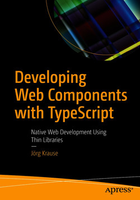
4. Developing Web Components with TypeScript ∅∅∅
   • The Global Picture
       Components
       Component Architecture
       Parts of a Component
   • The Rise of Thin Libraries
       Single-Page Apps
       The HTML 5 API
       The Template Language
       Smart Decorators
       TypeScript
       WebPack
     Compatibility
     Other Libraries
     Summary
• Chapter 2: Making Components
   • Basics
       A First Example
       Observing Unset Elements
       Custom Elements AP
   • Observing Attributes
       Attribute Data
     • Discussing the Options
        The MutationObserver Type
        Proxy
   • Rendering Order
       Delaying Access
       Introducing a Life Cycle
     Customized Built-in Elements
   • Advantage of TypeScript
       Using Generics
     Final Thoughts on Generics
     Summary
• Chapter 3: Shadow DOM
     Preparation
     Built-in Shadow DOM
 	  • Shadow Tree
       Terms
     • Using Shadow Trees
        Limitations
        Modes
   • Encapsulation
       Shadow DOM without Components
       Closing the Shadow Root
   • The Shadow Root API
       Properties
       Methods
     Summary
• Chapter 4: Events
   • Events in ECMAScript
       Event Handlers
       Assigning a Handler
       Choosing the Right Events
       HTML 5 Standard Events
     • Event Bubbling
        The Event Object
        Stopping Other Handlers
       Other Types of Propagation
       Event Capturing
       Removing Handlers
       Multiple Handlers
       Stopping Default Behavior
       Follow-Up Events
       Passive Events
       Document Handlers
   • Events in Web Components
       Events and Slots
       Event Bubbling
       Composed Events
   • Custom Events
       Synthetic Events
       The dispatchEvent API
       Customize Events
     Smart Events
     Summary
• Chapter 5: Templates
   • HTML S Templates
         How It Works
   • Activating a Template
       Clone or Import
   • Templates and Web Components
       Shadow DOM
       Using createShadowRoot
       Shadow DOM and innerHTML
     Nested Templates
   • Template Styles
       Applying Global Styles
     Summary
• Chapter 6: Slots
   • Slots Explained
       Slot and Templates
       Shadow DOM
     Slots and Components
   • Slot Behavior
       Slot Positions
       Multiple Slots
     Default Slots
   • Slot Events
       Adding an Event Handler
   • Updating Slots
       Slot Change Events
       The Slot API
     Summary
• Chapter 7: Components and Styles
   • Style Behavior
       Accessing the Host
       Cascading
       Selecting a Host Element
       Accessing the Host Context Aware
     Styling Slotted Content
     CSS Hooks
     Ignoring Styles
   • Parts
       The Part Attribute and Pseudo Selector
       Forwarding Parts
       The Part API
       The Future of Parts
     Summary
• Chapter 8: Making Single-Page Apps
     The Architecture of SPAs
   • The Router
       Monitoring the URL
       Configuring the Router
       Defining the Target
     Router Implementation
   • The History API
       The History Stack
       The history Object
       History Change Events
       Final Thoughts on the History API
   • Stateful Apps
     • Flux
        The Flux Parts
        Tell Tales
     • Implementing Flux
        Overview
        The Demo Component
        The Store
        Merging Stores
        The Observer
     Summary
• Chapter 9: Professional Components
   • Smart Selectors
       The Smart Selector Decorator
       How Does It Work?
   • Data Binding
       Why Data Binding?
       Implementing Data Binding
       Discussion
       Forms and Validation
     • Sketching a Solution
        The Required Decorator
        The View Model
        The Example Component
   • UI-less Components
       Directives
       Discussion
   • Template Engines
       Mustache
 	       Handlebars
      jQuery Templating
      Lit Element (lit-html)
      JSX/TSX
   • Making Your Own Using JSX
      Activating JSX
      Implementing JSX
      Extending the Syntax
    Summary
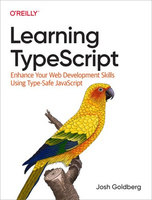
5. Learning TypeScript. Enhance Your Web Development Skills Using Type-Safe JavaScript ∅∅∅
     History of JavaScript
   • Vanilla JavaScript's Pitfalls
      Costly Freedom
      Loose Documentation
      Weaker Developer Tooling
     TypeScript!
   • Getting Started in the TypeScript Playground
      TypeScript in Action
      Freedom Through Restriction
      Precise Documentation
      Stronger Developer Tooling
      Compiling Syntax
   • Getting Started Locally
      Running Locally
      Editor Features
   • What TypeScript Is Not
      A Remedy for Bad Code
      Extensions to JavaScript (Mostly)
      Slower Than JavaScript
      Finished Evolving
     Summary
• 2. The Type System
   • What's in a Type?
      Type Systems
      Kinds of Errors
   • Assignability
      Understanding Assignability Errors
   • Type Annotations
      Unnecessary Type Annotations
   • Type Shapes
      Modules
     Summary
• 3. Unions and Literals
   • Union Types
      Declaring Union Types
      Union Properties
   • Narrowing
      Assignment Narrowing
      Conditional Checks
      Typeof Checks
   • Literal Types
      Literal Assignability
   • Strict Null Checking
      The Billion-Dollar Mistake
      Truthiness Narrowing
      Variables Without Initial Values
   • Type Aliases
      Type Aliases Are Not JavaScript
      Combining Type Aliases
     Summary
• 4. Objects
   • Object Types
      Declaring Object Types
      Aliased Object Types
   • Structural Typing
      Usage Checking
      Excess Property Checking
      Nested Object Types
      Optional Properties
   • Unions of Object Types
      Inferred Object-Type Unions
      Explicit Object-Type Unions
      Narrowing Object Types
      Discriminated Unions
   • Intersection Types
      Dangers of Intersection Types
     Summary
   • Function Parameters
        Required Parameters
      Optional Parameters
      Default Parameters
      Rest Parameters
   • Return Types
      Explicit Return Types
   • Function Types
      Function Type Parentheses
      Parameter Type Inferences
      Function Type Aliases
   • More Return Types
      Void Returns
      Never Returns
   • Function Overloads
      Call-Signature Compatibility
     Summary
• 6. Arrays
   • Array Types
      Array and Function Types
      Union-Type Arrays
      Evolving Any Arrays
      Multidimensional Arrays
   • Array Members
      Caveat: Unsound Members
   • Spreads and Rests
      Spreads
      Spreading Rest Parameters
   • Tuples
      Tuple Assignability
      Tuple Inferences
     Summary
• 7. Interfaces
     Type Aliases Versus Interfaces
   • Types of Properties
      Optional Properties
      Read-Only Properties
      Functions and Methods
      Call Signatures
      Index Signatures
      Nested Interfaces
   • Interface Extensions
        Overridden Properties
      Extending Multiple Interfaces
   • Interface Merging
      Member Naming Conflicts
     Summary
• 8. Classes
     Class Methods
   • Class Properties
      Function Properties
      Initialization Checking
      Optional Properties
      Read-Only Properties
     Classes as Types
   • Classes and Interfaces
      Implementing Multiple Interfaces
   • Extending a Class
      Extension Assignability
      Overridden Constructors
      Overridden Methods
      Overridden Properties
     Abstract Classes
   • Member Visibility
      Static Field Modifiers
     Summary
• 9. Type Modifiers
   • Top Types
      any, Again
      unknown
     Type Predicates
   • Type Operators
      keyof
      typeof
   • Type Assertions
      Asserting Caught Error Types
      Non-Null Assertions
      Type Assertion Caveats
   • Const Assertions
      Literals to Primitives
      Read-Only Objects
     Summary
• 10. Generics
   • Generic Functions
      Explicit Generic Call Types
      Multiple Function Type Parameters
   • Generic Interfaces
      Inferred Generic Interface Types
   • Generic Classes
      Explicit Generic Class Types
      Extending Generic Classes
      Implementing Generic Interfaces
      Method Generics
      Static Class Generics
   • Generic Type Aliases
      Generic Discriminated Unions
   • Generic Modifiers
      Generic Defaults
   • Constrained Generic Types
      keyof and Constrained Type Parameters
   • Promises
      Creating Promises
      Async Functions
   • Using Generics Right
      The Golden Rule of Generics
      Generic Naming Conventions
     Summary
     Declaration Files
   • Declaring Runtime Values
      Global Values
      Global Interface Merging
      Global Augmentations
   • Built-In Declarations
      Library Declarations
      DOM Declarations
   • Module Declarations
      Wildcard Module Declarations
   • Package Types
      declaration
      Dependency Package Types
      Exposing Package Types
   • DefinitelyTyped
        Type Availability
     Summary
• 12. Using IDE Features
   • Navigating Code
      Finding Definitions
      Finding References
      Finding Implementations
   • Writing Code
      Completing Names
      Automatic Import Updates
      Code Actions
   • Working Effectively with Errors
      Language Service Errors
     Summary
• 13. Configuration Options
   • tsc Options
      Pretty Mode
      Watch Mode
   • TSConfig Files
      tsc --init
      CLI Versus Configuration
   • File Inclusions
      include
      exclude
   • Alternative Extensions
      JSX Syntax
      resolveJsonModule
   • Emit
      outDir
      target
      Emitting Declarations
      Source Maps
      noEmit
   • Type Checking
      lib
      skipLibCheck
      Strict Mode
   • Modules
      module
      moduleResolution
      Interoperability with CommonJS
      isolated Modules
   • JavaScript
      allow's
      checkis
      JSDoc Support
   • Configuration Extensions
      extends
      Configuration Bases
   • Project References
      composite
      references
      Build Mode
     Summary
     Class Parameter Properties
     Experimental Decorators
   • Enums
      Automatic Numeric Values
      String-Valued Enums
      Const Enums
   • Namespaces
      Namespace Exports
      Nested Namespaces
      Namespaces in Type Definitions
      Prefer Modules Over Namespaces
     Type-Only Imports and Exports
     Summary
• 15. Type Operations
   • Mapped Types
      Mapped Types from Types
      Changing Modifiers
      Generic Mapped Types
   • Conditional Types
      Generic Conditional Types
      Type Distributivity
      Inferred Types
      Mapped Conditional Types
   • never
      never and Intersections and Unions
      never and Conditional Types
    never and Mapped Types
 • Template Literal Types
   Intrinsic String Manipulation Types
   Template Literal Keys
   Remapping Mapped Type Keys
  Type Operations and Complexity
  Summary
6. Modern Full-Stack Development Using TypeScript, React, Node.js, Webpack, Python, Django, and Docker
    Of JavaScript Runtimes and Building (Mostly) Servers
    First Baby Steps with Node: Installation
    More Useful: Executing JavaScript Source Files
    Node's Partner in Crime: NPM
    A Few More NPM Commands
    Initializing a New NPM/Node Project
    Adding Dependencies
    A Quick Aside: Semantic Versioning
    Fisher Price's "My First Node Web Server"
    Bonus Example
    Summary
• Chapter 2: A Few More Words: Advanced Node and NPM
    NPM: More on packagejson
    NPM: Other Commands
    Auditing Package Security
    Deduplication and Pruning
    Finding/Searching for Packages sans Browser
    Updating Packages
    Publishing/Unpublishing Packages
    Node: Standard Modules
    File System (fs)
    HTTP and HTTPS (http and https)
    OS (os)
    Path (path)
    Process
    Query Strings (querystring)
    URL (url)
    Utilities (util)
    The Rest of the Cast
    Summary
• Chapter 3: Client-Side Adventures: React
    A Brief History of React
    Yeah, Okay, History Nerd, That's All Great, but What IS React?!
    The Real Star of the Show: Components
    Components Need Info: Props
    Components (Sometimes) Need Memory: State
    Making Them Look Good: Style
    In the End, Why React?
    Summary
• Chapter 4: A Few More Words: Advanced React
    A Better Way to Write React Code: JSX
    Yeah, Okay, So What Does It LOOK LIKE?!
    A Slight Detour into Babel Land
    Compile JSX
    And Now, Put It All Together
    Whither Props?
    Default Props
    Typing Props
    Component Lifecycle
    Summary
• Chapter 5: Building a Strong Foundation: TypeScript
    What Is TypeScript?
    Jumping into the Deep End
    Beyond the Playground
    Configuring TypeScript Compilation
    The Nitty-Gritty: Types
    String
    Number
    Boolean
    Any
    Arrays
    Tuples
    Enums
    Function
    Object
    Null, Void, Undefined, and Never
    Custom Type Aliases
    Union Types
    TypeScript == ES6 Features for "Free"!
    The let and const Keywords
    Block Scope
    Arrow Functions
    Template Literals
    Default Parameters
    Spread and Rest (and As an Added Bonus: Optional Arguments)
    Destructuring
    Classes
    Properties
    Member Visibility
    Inheritance
    Getters and Setters
    Static Members
    Abstract Classes
    Summary
• Chapter 6: A Few More Words: Advanced TypeScript
    Interfaces
    Argument/Object Interfaces
    Methods in Interfaces
    Interfaces and Classes
    Extending Interfaces
    Namespaces and Modules
    Namespaces
    Modules
    Decorators
    Decorator Factories
    Third-Party Libraries
    Debugging TypeScript Apps
    Source Maps
    Optional Chaining and Nullish Coalescing
    Summary
• Chapter 7: Tying It Up in a Bow: Webpack
    What's a Bundle, and How Do I Make One?
    What's Webpack All About?
    Dependency Graph
    Entry
    Output
    Loaders
    Plugins
    Modes
    Browser Compatibility
    Getting Started with Webpack
    Getting More Complex
    Configuration
    Using Modules
    Wither TypeScript?
    Tip
    Summary
• Chapter 8: Delivering the Goods: MailBag, the Server
    What Are We Building?
    Basic Requirements
    Setting Up the Project
    Source File Rundown
    Adding Node Modules
    Adding Types
    A More Convenient Development Environment
    The Starting Point: main.ts
    A Quick Detour: Time to Take a REST
    URLs for Fun and Profit
    Giving Methods Meaning
    Data Format Smackdown
    A Bonus Pillar: Response Status Codes
    Another Quick Detour: Express, for Fun and Profit
    Back to the Cod&
    REST Endpoint: List Mailboxes
    REST Endpoint: List Messages
    REST Endpoint: Get a Message
    REST Endpoint: Delete a Message
    REST Endpoint: Send a Message
    REST Endpoint: List Contacts
    REST Endpoint: Add Contact
    REST Endpoint: Delete Contact
    Gotta Know What We're Talking to: Serverinfo.ts
    Time to Send the Mail: smtp.ts
    A Quick Detour: Nodemailer
    Another Quick Detour: Generics
    Back to the Cod&
    Worker.sendMessage( )
    Time to Get the Mail (and Other Stuff): imap.ts
    A Quick Detour: emailjs-imap-client and mailparser
    Back to the Code
    Worker.listMailboxes()
    Worker.listMessages( )
    Worker.getMessageBody( )
    Worker.deleteMessage( )
    Reach Out and Touch Someone: contacts.ts
    A Quick Detour: NoSQL
    Another Quick Detour: NeDB
    Back to the Cod&
    Worker.listContacts( )
    Worker.addContact( )
    Worker.deleteContact( )
    Testing It All
    Suggested Exercises
    Summary
• Chapter 9: Delivering the Goods: MailBag, the Client
    What Are We Building?
    Basic Requirements
    Setting Up the Project
    Source File Rundown
    The Starting Point: index.html
    The Starting Point, Redux: main.tsx
    A Quick Detour: State'ing the Obvious
    Back to the Cod&
    A Bit of Configuration: config.ts
    A Worker for All Seasons
    A Quick Detour: AJAX
    Getting Some Help: Axios
    Mirroring the Server Part 1: Contacts.ts
    Listing Contacts
    Adding a Contact
    Deleting a Contact
    Mirroring the Server Part 2: IMAP.ts
    Listing Mailboxes
    Listing Messages
    Getting the Body of a Message
    Deleting a Message
    Mirroring the Server Part 3: SMTP.ts
    A Cavalcade of Components
    A Quick Detour: MUI
    Another Quick Detour: CSS Grid
    Yet Another Quick Detour: main.css
    BaseLayout.tsx
    A Quick Detour: Functional Components
    Toolbar.tsx
    MailboxList.tsx
    ContactList.tsx
    ContactView.tsx
    MessageList.tsx
    MessageView.tsx
    WelcomeView.tsx
    Suggested Exercises
    Summary
• Chapter 10: Time for Fun: BattleJong, the Server
    What Are We Building?
    Basic Requirements
    Setting Up the Project
    Some tsconfigjson Changes
    Adding Node Modules
    Adding Types
    Source File Rundown
    The Starting Point (the ONLY Point, in Fact!): server.ts
    A Quick Detour: WebSockets
    Back to the Cod&
    Serving the Client: The Express Server
    Handling Messages: The WebSocket Server and Overall Game Design
    Message: "match"
    Message: "done"
    Finishing Up the WebSocket Server
    Of Tiles and Board Layouts
    Shuffling the Board
    Suggested Exercises
    Summary
• Chapter 11: Time for Fun: BattleJong, the Client
    What Are We Building?
    Basic Requirements
    Setting Up the Project
    Some tsconfigjson Changes
    Some webpack.configjs Changes
    Adding Libraries
    Adding Types
    Source File Rundown
    The Starting Point: index.html
    The REAL Starting Point: main.tsx
    The Basic Layout: BaseLayout.tsx
    Feedback and Status: ControlArea.tsx
    Scores
    Game State Messages
    Where the Action Is: PlayerBoard.tsx
    A Quick Detour: Custom Type Definitions
    Back to the Code!
    The Render Process
     Talking to the Server: socketComm.ts
     Handling Server-Sent Messages
     Sending Messages to the Server
     The Main Code: state.ts
     A Few Interfaces for Good Measure
     The Beginning of the State Object
     A Quick Detour: TypeScript-Type Assertions
     Back to the Cod&
     Message Handler Methods
     The Big Kahuna: tileClick( )
     Helper Function: canTileBeSelected( )
     Helper Function: anyMovesLeft()
     Suggested Exercises
     Summary
• Chapter 12: Bringing the Dev Ship into Harbor: Docker
     An Introduction to Containers and Containerization
     The Star of the Show: Docker
     Installing Docker
     Your First Container: "Hello, World!" of Course!
     A Quick Rundown of Key Docker Commands
     Listing Images
     Listing Containers
     Starting (and Stopping) Containers
     Remove Containers and Images
     Pulling Images
     Searching for Images
     Attaching to a Container
     Viewing Container Logs
     Creating Your Own Image
     Deploying to Docker Hub
     Wrapping Up MailBag and BattleJong
     Suggested Exercises
     Summary
• Chapter 13: Feed Your Face: Fooderator, the Server
     Wait, What Are We Building?!
   • Python Slithers In
      Uhh, I Can Has Python?!
   • Django Unchained
      Creating a Django Project
      Creating an App
   • Taking a REST with DRF
       Setting Up the API
       Adding Endpoints
       Creating Models to Model Our Data
       Migrations
       Serializers to Handle Our Models
     • Finally: Adding Those Views I Promised!
        Recipes
        Menu Items
       A Special Case: The Shopping List
     Automatic Documentation Generation
     Use Postman to Test
     Serving Static Content Alongside the API
     Suggested Exercises
     Summary
• Chapter 14: Feed Your Face: Fooderator, the Client
     A New Component Library to Play With
   • Hook, Line, and Sinker: React Hooks with Functional Components
       The useState Hook
       The useEffect Hook
       Other Hooks
     The (New) State of Things: Hookstate
     Charting a Course with React Router
     Your First Look at Fooderator
   • Setting Up the Basics
       Client App Directory Structure
       package..json
       Some Minor Webpack Changes
   • Into the Breach: index.html and main.tsx
       index.html
       main.tsx
     The State of Things: globalState.ts
   • The Home Screen: App.tsx
       The Component Definition
       useEffect Hook
   • The Menu Screen (Menu.tsx)
       The Component Definition
       Event Handler Functions
   • The Shopping List Screen (Shopping List.tsx)
       The Component Definition
       useEffect Hook
 	      The Component Definition
 • The Recipe List Screen (Recipes.tsx)
     The Component Definition
     Event Handler Functions
 • The Recipe Edit Modal Dialog (Recipes_edit.tsx)
     Basic Recipe Info
     The Ingredients Section
     Event Handler Functions
   Suggested Exercises
   Summary
7. Ayaz M. Angular Cookbook. Over 80 actionable recipes.2021 (652 pages)
Components communication using @Component inputs and outputs
Components communication using services
Using setters for intercepting input property changes
Using ngOnChanges to intercept input property changes
Accessing a child component in the parent template via template variables
Accessing a child component in a parent component class using ViewChild
Creating your first dynamic component in Angular
2. Understanding and Using Angular Directives
Using attribute directives to handle the appearance of elements
Creating a directive to calculate the read time for articles
Creating a basic directive that allows you to vertically scroll to an element
Writing your first custom structural directive
How to use *ngIf and *ngSwitch together
Enhancing template type checking for your custom directives
3. The Magic of Dependency Injection in Angular
Configuring an injector with a DI token
Optional dependencies
Creating a singleton service using providedIn
Creating a singleton service using forRoot()
Providing different services to the app with the same Aliased
Value providers in Angular
4. Understanding Angular Animations
Creating your first two-state Angular animation
Working with multi-state animations
Creating complex Angular animations using keyframes
Animating lists in Angular using stagger animations
Using animation callbacks
Basic route animations in Angular
Complex route animations in Angular using keyframes
5. Angular and RxJS – Awesomeness Combined
Working with RxJS operators using instance methods
Working with RxJS operators using static methods
Unsubscribing streams to avoidmemory leaks
Using an Observable with the async pipe to synchronously bind data to your Angular templates
Using combineLatest to subscribe to multiple streams together
Using the flatMap operator to create sequential HTTP calls
Using the switchMap operator to switch the last subscription with a new one
Debouncing HTTP requests using RxJS
6. Reactive State Management with NgRx
Creating your first NgRx store with actions and reducer
Using @ngrx/store-devtools to debug the state changes
Creating an effect to fetch third-party API data
Using selectors to fetch data from stores in multiple components
Using @ngrx/component-store for local state management within a component
Using @ngrx/router-store to work with route changes reactively
7. Understanding Angular Navigation and Routing
Creating an Angular app with routes using the CLI
Feature modules and lazily loaded routes
Authorized access to routes using route guards
Working with route parameters
Showing a global loader between route changes
Preloading route strategies
8. Mastering Angular Forms
Creating your first template-driven Angular form
Form validation with template-driven forms
Testing template-driven forms
Creating your first Reactive form
Form validation with Reactive forms
Creating an asynchronous validator function
Testing Reactive forms
Using debounce with Reactive form control
Writing your own custom form control using ControlValueAccessor
9. Angular and the Angular CDK
Using Virtual Scroll for huge lists
Keyboard navigation for lists
Pointy little popovers with the Overlay API
Using CDK Clipboard to work with the system clipboard
Using CDK Drag and Drop to move items from one list to another
Creating a multi-step game with the CDK Stepper API
Resizing text inputs with the CDK TextField API
10. Writing Unit Tests in Angular with Jest
Setting up unit tests in Angular with Jest
Providing global mocks for Jest
Mocking services using stubs
Using spies on an injected service in a unit test
Mocking child components and directives using the ng-mocks package
Creating even easier component tests with Angular CDK component harnesses
Unit testing components with Observables
Unit testing Angular Pipes
11. E2E Tests in Angular with Cypress
Writing your first Cypress test
Validating if a DOM element is visible on the view
Testing form inputs and submission
Waiting for XHRs to finish
Using Cypress bundled packages
Using Cypress fixtures to provide mock data
12. Performance Optimizations in Angular
Using OnPush change detection to prune component subtrees
Detaching the change detector from components
Running async events outside Angular with runOutsideAngular
Using trackBy for lists with *ngFor
Moving heavy computation to pure pipes
Using web workers for heavy computation
Using performance budgets for auditing
Analyzing bundles with webpack-bundle-analyzer
13. Building PWAs with Angular
Converting an existing Angular app into a PWA with the Angular CLI
Modifying the theme color for your PWA
Using Dark Mode in your PWA
Providing a custom installable experience in your PWA
Precaching requests using an Angular service worker
Creating an App Shell for your PWA
8. Campesato O. Angular and Deep Learning Pocket Primer 2021
What You Need to Understand for Angular Applications
A High-Level View of Angular
A High-Level View of Angular Applications
The Angular CLI
Features of the Angular CLI (optional)
A Hello World Angular Application
The Contents of the Three Main Files
The index.html Web Page
Exporting and Importing Packages and Classes (optional)
Working with Components in Angular
Syntax, Attributes, and Properties in Angular
Angular Lifecycle Methods
A Simple Example of Angular Lifecycle Methods
CSS3 Animation Effects in Angular
Animation Effects via the “Angular Way”
A Basic SVG Example in Angular
Detecting Mouse Positions in Angular Applications
Angular and Follow-the-Mouse in SVG
Angular and SVG Charts
D3 Animation and Angular
2 UI CONTROLS, USER INPUT, AND PIPES
The ngFor Directive in Angular
Displaying a Button in Angular
Angular and Radio Buttons
Adding Items to a List in Angular
Deleting Items from a List in Angular
Angular Directives and Child Components
The Constructor and Storing State in Angular
Conditional Logic in Angular
Handling User Input
Click Events in Multiple Components
Working with @Input, @Output, and EventEmitter
Presentational Components
Working with Pipes in Angular
Creating a Custom Angular Pipe
Reading JSON Data via an Observable in Angular
Upgrading Code from Earlier Angular Versions
Reading Multiple Files with JSON Data in Angular
Reading CSV Files in Angular
3 FORMS AND SERVICES
Overview of Angular Forms
An Angular Form Example
Angular Forms with FormBuilder
Angular Reactive Forms
Other Form Features in Angular
What are Angular Services?
An Angular Service Example
A Service with an EventEmitter
Searching for a GitHub User
Other Service-related Use Cases
Flickr Image Search Using jQuery and Angular
HTTP GET Requests with a Simple Server
HTTP POST Requests with a Simple Server
An SVG Line Plot from Simulated Data in Angular(optional)
4 DEEP LEARNING INTRODUCTION
Keras and the xor Function
What is Deep Learning?
What are Perceptrons?
The Anatomy of an Artificial Neural Network (ANN)
What is a Multilayer Perceptron (MLP)?
How are Datapoints Correctly Classified?
A High-Level View of CNNs
Displaying an Image in the MNIST Dataset
Keras and the Mnist Dataset
Keras, CNNs, and the Mnist Dataset
CNNS with Audio Signals
5 DEEP LEARNING: RNNS AND LSTMS
What is an RNN?
Working with RNNs and Keras
Working with Keras, RNNs, and MNIST
Working with TensorFlow and RNNs (Optional)
What is an LSTM?
Working with TensorFlow and LSTMs (Optional)
What are GRUs?
What are Autoencoders?
What are GANs?
Creating a GAN
6 ANGULAR AND TENSORFLOW JS
What is TensorFlow.js?
Working with Tensors in TensorFlow.js
Machine Learning APIs in TensorFlow.js
Linear Regression with TensorFlow.js
Angular, TensorFlow.js, and Linear Regression
Creating Line Graphs in tfjs-vis
Creating Bar Charts in tfjs-vis
Creating Scatter Plots in tfjs-vis
Creating Histograms in tfjs-vis
Creating Heat Maps in tfjs-vis
TensorFlow.js, tfjs-vis, and Linear Regression
The MNIST Dataset
Displaying MNIST Images
Training a Model with the CIFAR10 Dataset (optional)
Deep Learning and the MNIST Dataset
Angular, Deep Learning, and the MNIST Dataset
9. Learn Angular 4 Angular Projects
   Introduction to the MEAN Stack
   Overview
   Prerequisites
   Creating the Backend Using Express.js and MongoDB
   Building the Front End Using Angular
   Creating Components, a Model, and a Service
   Finishing Touches
   Wrapping It Up
Chapter 2: User Authentication with the MEAN Stack
   The MEAN Stack Authentication Flow
   The Example Application
   Creating the MongoDB Data Schema with Mongoose
   Set Up Passport to Handle the Express Authentication
   Configure API Endpoints
   Create Angular Authentication Service
   Apply Authentication to Angular App
Chapter 3: Building a Twitter Client with Node and Angular
   Setting Up the Project
   Creating a Twitter Client in NodeJS
   Creating the Angular App
   Summary
Chapter 4: Connecting Angular and the WordPress API with wp-api-angular
   Laying Foundations
   Authentication
   Listing the Users
   Working With Posts
   Conclusion
10. Murray N. ng-book. The Complete Book on Angular 11 2020
 How to Read This Book
Running Code Examples
	Angular CLI
Code Blocks and Context
	Code Block Numbering
A Word on Versioning
Getting Help
Emailing Us
Chapter Overview
Writing Your First Angular Web Application
Simple Reddit Clone
Getting started
	Node.js and npm
	TypeScript
	Browser
Special instruction for Windows users
	Angular CLI
	Example Project
Running the application
	Making a Component
	Importing Dependencies
	Component Decorators
	Adding a template with templateUrl
	Adding a template
	Adding CSS Styles with styleUrls
	Loading Our Component
Adding Data to the Component
Working With Arrays
Using the User Item Component
	Rendering the UserItemComponent
	Accepting Inputs
	Passing an Input value
Bootstrapping Crash Course
	declarations
	imports
	providers
	bootstrap
Expanding our Application
	Adding CSS
	The Application Component
	Adding Interaction
	Adding the Article Component
Rendering Multiple Rows
	Creating an Article class
	Storing Multiple Articles
	Configuring the ArticleComponent with inputs
	Rendering a List of Articles
Adding New Articles
Finishing Touches
	Displaying the Article Domain
	Re-sorting Based on Score
Deployment
	Building Our App for Production
	Uploading to a Server
	Installing now
Full Code Listing
Wrapping Up
Getting Help
TypeScript
Angular is built in TypeScript
What do we get with TypeScript?
Types
Trying it out with a REPL
Built-in types
	Classes
	Properties
	Methods
	Constructors
	Inheritance
Utilities
	Fat Arrow Functions
	Template Strings
Wrapping up
How Angular Works
Application
	The Navigation Component
	The Breadcrumbs Component
	The Product List Component
How to Use This Chapter
Product Model
Components
Component Decorator
	Component selector
	Component template
	Adding A Product
	Viewing the Product with Template Binding
	Adding More Products
	Selecting a Product
	Listing products using <products-list>
The ProductsListComponent
	Configuring the ProductsListComponent @Component Options
	Component inputs
	Component outputs
	Emitting Custom Events
	Writing the ProductsListComponent Controller Class
	Writing the ProductsListComponent View Template
	The Full ProductsListComponent Component
The ProductRowComponent Component
	ProductRowComponent Configuration
	ProductRowComponent template
The ProductImageComponent Component
The PriceDisplayComponent Component
The ProductDepartmentComponent
NgModule and Booting the App
	Booting the app
The Completed Project
Deploying the App
A Word on Data Architecture
Built-in Directives
Introduction
NgIf
NgSwitch
NgStyle
NgClass
NgFor
	Getting an index
NgNonBindable
Conclusion
Forms in Angular
Forms are Crucial, Forms are Complex
FormControls and FormGroups
	FormControl
	FormGroup
Our First Form
	Loading the FormsModule
	Reactive- vs. template-driven Forms
	Simple SKU Form: @Component Decorator
	Simple SKU Form: template
	Simple SKU Form: Component Definition Class
	Try it out!
Using FormBuilder
Reactive Forms with FormBuilder
	Using FormBuilder
	Using myForm in the view
	Try it out!
Adding Validations
	Explicitly setting the sku FormControl as an instance variable
	Custom Validations
Watching For Changes
ngModel
Wrapping Up
Dependency Injection
Injections Example: PriceService
Dependency Injection Parts
Playing with an Injector
Providing Dependencies with NgModule
	Providers are the Key
Providers
	Using a Class
	Using a Factory
Dependency Injection in Apps
More Resources
HTTP
Introduction
Using @angular/common/http
	import from @angular/common/http
A Basic Request
	Building the SimpleHttpComponent Component Definition
	Building the SimpleHttpComponent template
	Building the SimpleHttpComponent Controller
	Full SimpleHttpComponent
Writing a YouTubeSearchComponent
	Writing a SearchResult
	Writing the YouTubeSearchService
	Writing the SearchBoxComponent
	Writing SearchResultComponent
	Writing YouTubeSearchComponent
@angular/common/http API
	Making a POST request
	PUT / PATCH / DELETE / HEAD
	Custom HTTP Headers
	Summary
Routing
Why Do We Need Routing?
How client-side routing works
	The beginning: using anchor tags
	The evolution: HTML5 client-side routing
Writing our first routes
Components of Angular routing
	Imports
	Routes
	Installing our Routes
	RouterOutlet using <router-outlet>
	RouterLink using [routerLink]
Putting it all together
Creating the Components
	HomeComponent
	AboutComponent
	ContactComponent
	Application Component
	Configuring the Routes
Routing Strategies
Running the application
Route Parameters
	ActivatedRoute
Music Search App
	First Steps
	The SpotifyService
	The SearchComponent
	Trying the search
	TrackComponent
	Wrapping up music search
Router Hooks
	AuthService
	LoginComponent
	ProtectedComponent and Route Guards
Nested Routes
	Configuring Routes
	ProductsModule
Summary
Data Architecture in Angular
An Overview of Data Architecture
	Data Architecture in Angular
Data Architecture with Observables - Part 1: Services
Observables and RxJS
	Note: Some RxJS Knowledge Required
	Learning Reactive Programming and RxJS
Chat App Overview
	Components
	Models
	Services
	Summary
Implementing the Models
	User
	Thread
	Message
Implementing UsersService
	currentUser stream
	Setting a new user
	UsersService.ts
The MessagesService
	the newMessages stream
	the messages stream
	The Operation Stream Pattern
	Sharing the Stream
	Adding Messages to the messages Stream
	Our completed MessagesService
	Trying out MessagesService
The ThreadsService
	A map of the current set of Threads (in threads)
	A chronological list of Threads, newest-first (in orderedthreads)
	The currently selected Thread (in currentThread)
	The list of Messages for the currently selected Thread (in current-ThreadMessages)
	Our Completed ThreadsService
Data Model Summary
Data Architecture with Observables - Part 2: View Components
Building Our Views: The AppComponent Top-Level Component
The ChatThreadsComponent
	ChatThreadsComponent template
The Single ChatThreadComponent
	ChatThreadComponent Controller and ngOnInit
	ChatThreadComponent template
The ChatWindowComponent
The ChatMessageComponent
	The ChatMessageComponent template
The ChatNavBarComponent
	The ChatNavBarComponent @Component
	The ChatNavBarComponent template
Summary
Introduction to Redux with TypeScript
Redux
	Redux: Key Ideas
Core Redux Ideas
	What’s a reducer?
	Defining Action and Reducer Interfaces
	Creating Our First Reducer
	Running Our First Reducer
	Adjusting the Counter With actions
	Reducer switch
	Action “Arguments”
Storing Our State
	Using the Store
	Being Notified with subscribe
	The Core of Redux
A Messaging App
	Messaging App state
	Messaging App actions
	Messaging App reducer
	Trying Out Our Actions
	Action Creators
	Using Real Redux
Using Redux in Angular
Planning Our App
Setting Up Redux
	Defining the Application State
	Defining the Reducers
	Defining Action Creators
	Creating the Store
Providing the Store
Bootstrapping the App
The AppComponent
	imports
	The template
	The constructor
	Putting It All Together
What’s Next
References
Intermediate Redux in Angular
Context For This Chapter
Chat App Overview
	Components
	Models
	Reducers
	Summary
Implementing the Models
	User
	Thread
	Message
App State
	A Word on Code Layout
	The Root Reducer
	The UsersState
	The ThreadsState
	Visualizing Our AppState
Building the Reducers (and Action Creators)
	Set Current User Action Creators
	UsersReducer - Set Current User
	Thread and Messages Overview
	Adding a New Thread Action Creators
	Adding a New Thread Reducer
	Adding New Messages Action Creators
	Adding A New Message Reducer
	Selecting A Thread Action Creators
	Selecting A Thread Reducer
	Reducers Summary
Building the Angular Chat App
	The top-level AppComponent
	The ChatPage
	Container vs. Presentational Components
Building the ChatNavBarComponent
	Redux Selectors
	Threads Selectors
	Unread Messages Count Selector
Building the ChatThreadsComponent
	ChatThreadsComponent Controller
	ChatThreadsComponent template
The Single ChatThreadComponent
	ChatThreadComponent template
Building the ChatWindowComponent
The ChatMessageComponent
	Setting incoming
	The ChatMessageComponent template
Summary
Advanced Components
Styling
	View (Style) Encapsulation
	Shadow DOM Encapsulation
	No Encapsulation
Creating a Popup - Referencing and Modifying Host Elements
	Popup Structure
	Using ElementRef
	Binding to the host
	Adding a Button using exportAs
Creating a Message Pane with Content Projection
	Changing the Host’s CSS
	Using ng-content
Querying Neighbor Directives - Writing Tabs
	ContentTabComponent
	ContentTabsetComponent Component
	Using the ContentTabsetComponent
Lifecycle Hooks
	OnInit and OnDestroy
	OnChanges
	DoCheck
	AfterContentInit, AfterViewInit, AfterContentChecked and After-ViewChecked
Advanced Templates
	Rewriting ngIf - ngBookIf
	Rewriting ngFor - NgBookFor
Change Detection
	Customizing Change Detection
	Zones
	Observables and OnPush
Summary
Testing
Test driven? End-to-end vs. Unit Testing Testing Tools Jasmine Karma Writing Unit Tests Angular Unit testing framework Setting Up Testing Testing Services and HTTP HTTP Considerations Stubs Mocks HttpClient HttpTestingController TestBed.configureTestingModule and Providers Testing getTrack Testing Routing to Components Creating a Router for Testing Mocking dependencies Spies Back to Testing Code fakeAsync and advance inject Testing ArtistComponent’s Initialization Testing ArtistComponent Methods Testing ArtistComponent DOM Template Values Testing Forms Creating a ConsoleSpy Installing the ConsoleSpy Configuring the Testing Module Testing The Form Refactoring Our Form Test Testing HTTP requests Testing a POST Testing DELETE Testing HTTP Headers Testing YouTubeSearchServiceConclusion Converting an AngularJS 1.x App to AngularPeripheral Concepts What We’re Building Mapping AngularJS 1 to Angular Requirements for Interoperability The AngularJS 1 App The ng1-app HTML Code Overview ng1: PinsService ng1: Configuring Routes ng1: HomeController ng1: / HomeController template ng1: pin Directive ng1: pin Directive template ng1: AddController ng1: AddController template ng1: Summary Building A Hybrid Hybrid Project Structure Bootstrapping our Hybrid App What We’ll Upgrade A Minor Detour: Typing Files Writing ng2 PinControlsComponent Using ng2 PinControlsComponent Downgrading ng2 PinControlsComponent to ng1 Adding Pins with ng2 Upgrading ng1 PinsService and $state to ng2 Writing ng2 AddPinComponent Using AddPinComponent Exposing an ng2 service to ng1 Writing the AnalyticsService Downgrade ng2 AnalyticsService to ng1 Using AnalyticsService in ng1 Summary ReferencesNativeScript: Mobile Applications for the Angular DeveloperWhat is NativeScript? Where NativeScript Differs from Other Popular Frameworks What are the System and Development Requirements for NativeScript? Creating your First Mobile Application with NativeScript and Angular Adding Build Platforms for Cross Platform Deployment Building and Testing for Android and iOS Installing JavaScript, Android, and iOS Plugins and Packages Understanding the Web to NativeScript UI and UX Differences Planning the NativeScript Page Layout Adding UI Components to the Page Styling Components with CSS Developing a Geolocation Based Photo Application Creating a Fresh NativeScript Project Creating a Multiple Page Master-Detail Interface Creating a Flickr Service for Obtaining Photos and Data Creating a Service for Calculating Device Location and Distance Including Mapbox Functionality in the NativeScript Application Implementing the First Page of the Geolocation Application Implementing the Second Page of the Geolocation Application Try it out! NativeScript for Angular Developers Preface
What this book covers What you need for this book Who this book is for Conventions Reader feedback Customer support Downloading the example code Downloading the color images of this book Errata Piracy QuestionsFrom Loose Types to Strict TypesTerm definitions Implications of loose types The problem Mitigating loose-type problems The typeof operator The toString method Final NoteGetting Started with TypeScriptSetting up TypeScript Hello World Type annotation in TypeScript ES6 and beyond User story Final notesTypescript Native Types and FeaturesBasic types Strings Numbers Boolean Arrays Void Any Tuple Enums Functions and function types Function parameters Function return value Optional parameters Interfaces Interfaces for JavaScript object types Optional properties Read-only properties Interfaces as contracts Decorators Decorating methods Decorating classes Decorator factoriesUp and Running with Angular and TypeScriptSetting up Angular and TypeScript Creating a new Angular project Project structure Generating files Basics concepts Components Templates Component styles Modules Unit testingAdvanced Custom Components with TypeScriptLifecycle hooks DOM manipulation ElementRef Hooking into content initialization Handling DOM events View encapsulation Emulated Native NoneComponent Composition with TypeScriptComponent composability Hierarchical composition Component communication Parent-child flow Intercepting property changes Child–parent flow Accessing properties and methods of a child via a parent component Accessing child members with ViewChildSeparating Concerns with Typed ServicesDependency injection Data in components Data class services Component interaction with services Services as utilitiesBetter Forms and Event Handling with TypeScriptCreating types for forms The form module Two-way binding More form fields Validating the form and form fields Submitting forms Handling events Mouse events Keyboard eventsWriting Modules, Directives, and Pipes with TypeScriptDirectives Attribute directives Handling events in directives Dynamic attribute directives Structural directives Why the difference? The deal with asterisks Creating structural directives Pipes Creating pipes Passing arguments to pipes ModulesClient-Side Routing for SPARouterModule Router directives Master-details view with routes Data source Blog service Creating routes Listing posts in the home component Reading an article with the post componentWorking with Real Hosted DataObservables The HTTP module Building a simple todo demo app Project setup Building the API Installing diskdb Updating API endpoints Creating an Angular component Creating application routes Creating a todos service Connecting the service with our todos component Implementing the view Build a user directory with Angular Create a new Angular app Create a Node server Install diskDB Create a new component Create a service Updating user.component.ts Updating user.component.html Running the appTesting and DebuggingAngular 2 testing tools Jasmine Main concepts of Jasmine Karma Protractor Angular testing platform Using Karma (with Jasmine) Creating a new project Installing the Karma CLI Configuring Karma Testing the components Testing services Testing using HTTP Testing using MockBackend Testing a directive Testing a pipe Debugging Augury Augury features Component tree Router tree Source map12. Advanced TypeScript Programming Projects - Build 9 different apps with TypeScript 3 and JavaScript (408 pages)
 • Chapter 1: Advanced TypeScript Features
Technical requirements Building future-proof TypeScript with tsconfig • Introduction to advanced TypeScript features Using different types with union types Combining types with intersection types Simplifying type declarations with type aliases Assigning properties using object spread Deconstructing objects with REST properties Coping with a variable number of parameters using REST AOP using decorators Composing types using mixins Using the same code with different types and using generics Mapping values using maps Creating asynchronous code with promises and async/await Creating Uls with Bootstrap Summary Questions• Chapter 2: Creating a Markdown Editor with TypeScriptTechnical requirements Understanding the project overview Getting started with a simple HTML project • Writing a simple markdown parser Building our Bootstrap UI Mapping our markdown tag types to HTML tag types Representing our converted markdown using a markdown document • Updating markdown document using visitors Understanding the visitor pattern Applying the visitor pattern to our code Deciding which tags to apply by using the chain-of-responsibility pattern Bringing it all together Summary Questions Further reading• Chapter 3: A React Bootstrap Personal Contacts ManagerTechnical requirements Understanding the project overview Getting started with the components Creating a React Bootstrap project with TypeScript support • Creating our mock layout Creating our application Formatting our code using tslint Adding Bootstrap support • React using tsx components How React uses a virtual DOM to be more responsive Our React App component • Displaying the personal details interface • Simplify updating values with binding Supplying state to bind against • Validating user inputs and the use of validators Validating the address Validating the name Validating the phone number Applying validation in a React component • Creating and sending data to the IndexedDB database • Adding active record support to our state Working with the database Accessing the database from PersonalDetails Enhancements Summary Questions Further reading• Chapter 4: The MEAN Stack - Building a Photo GalleryTechnical requirements The MEAN stack Project overview Getting started • Creating an Angular photo gallery with the MEAN stack Understanding Angular • Creating our application App.Module.ts Using Angular Material for our UI Using Material to add navigation • Creating our first component — the FileUpload component Previewing files using a service Using the service in the dialog The file upload component template Introducing Express support into our application • Providing routing support Introducing MongoDB Back to our routing • Displaying images Using Rx.IS to watch for images Transferring the data Back to the page body component Wrapping up by displaying the dialog Summary Questions Further reading• Chapter 5: Angular ToDo App with GraphQL and ApolloTechnical requirements Understanding the GraphQL-to-REST relationship Project overview Getting started with the project • Creating a ToDo application with GraphQL and Angular Creating our application • Creating our GraphQL schema Setting up our GraphQL types Creating our GraphQL resolver Using Apollo Server as our server • The GraphQL Angular client Adding client-side Apollo support Adding routing support The routing user interface Adding content to our page components Summary Questions Further reading• Chapter 6: Building a Chat Room Application Using Socket.lOTechnical requirements Long-running client/server communications using Socket.lO Project overview Getting started with Socket.lO and Angular • Creating a chat room application using Socket.lO, Angular, and AuthO Creating our application Adding Socket.lO support to our server • Creating our chat room client Using decorators to add client-side logging Setting up Bootstrap in Angular Bootstrap navigation Authorizing and authenticating users using AuthO Using secure routing • Adding client-side chat capabilities Working in rooms Getting the messages Finishing the server sockets Namespaces in Socket.I0 Finishing off our application with the GeneralchatComponent Summary Questions Further reading• Chapter 7: Angular Cloud-Based Mapping with FirebaseTechnical requirements Modern applications and the move to cloud services Project overview • Getting started with Bing mapping in Angular Signing up to Bing mapping Signing up to Firebase • Creating a Bing Maps application using Angular and Firebase Adding the map component Points of interest Representing the map pins Trying interesting things with map searches Adding Bing Maps to the screen The map events and setting pins Securing the database Summary Questions• Chapter 8: Building a CRM Using React and MicroservicesTechnical requirements • Understanding Docker and microservices • Docker terminology Container Image Port Volume Registry Docker Hub Microservices Designing our REST API using Swagger • Creating a microservices application with Docker Getting started creating a microservices application with Docker • Adding server-side routing support The Server class Creating our Addresses service • Using Docker to run our services Using docker-compose to compose and start the services • Creating our React user interface Using Bootstrap as our container Creating a tabbed user interface Using a select control to select an address when adding a person Adding our navigation Summary Questions Further reading• Chapter 9: Image Recognition with Vuejs and TensorFlowjsTechnical requirements • What is machine learning and how does TensorFlow fit in? What is machine learning? What is TensorFlow and how does it relate to machine learning? Project overview • Getting started with TensorFlow in Vue Creating our Vue-based application • Showing a home page with the Vue template Introducing MobileNet The Classify method Modifying the HelloWorld component to support image classification The Vue application entry point • Adding pose detection capabilities Drawing the key points on the canvas Using pose detection on the image A brief aside about pose detection How does PoseNet work? Back to our pose detection code Completing our pose detection component Summary Questions Further reading• Chapter 10: Building an ASP.NET Core Music LibraryTechnical requirements Introducing ASP.NET Core MVC Providing the project overview • Getting started creating a music library with ASP.NET Core, C#, and TypeScript Creating our ASP.NET Core application with Visual Studio • Understanding the application structure The Startup class The files that make up the base views • Creating a Discogs model Setting up the Results type Writing our DiscogsClient class Discogs rate limitations Wiring up our controller Adding the Index view Adding TypeScript to our application Calling our TypeScript functionality from ASP.NET Summary Questions Further reading Assessments Other Books You May Enjoy Index13. Baumgartner S. TypeScript Cookbook. Real World Type-Level Programming 2023 (831 pages)
Related page:
AngularTypesctiptLearning context:
Doc context:
)
|
|