Return BrowserRendering (BR01)
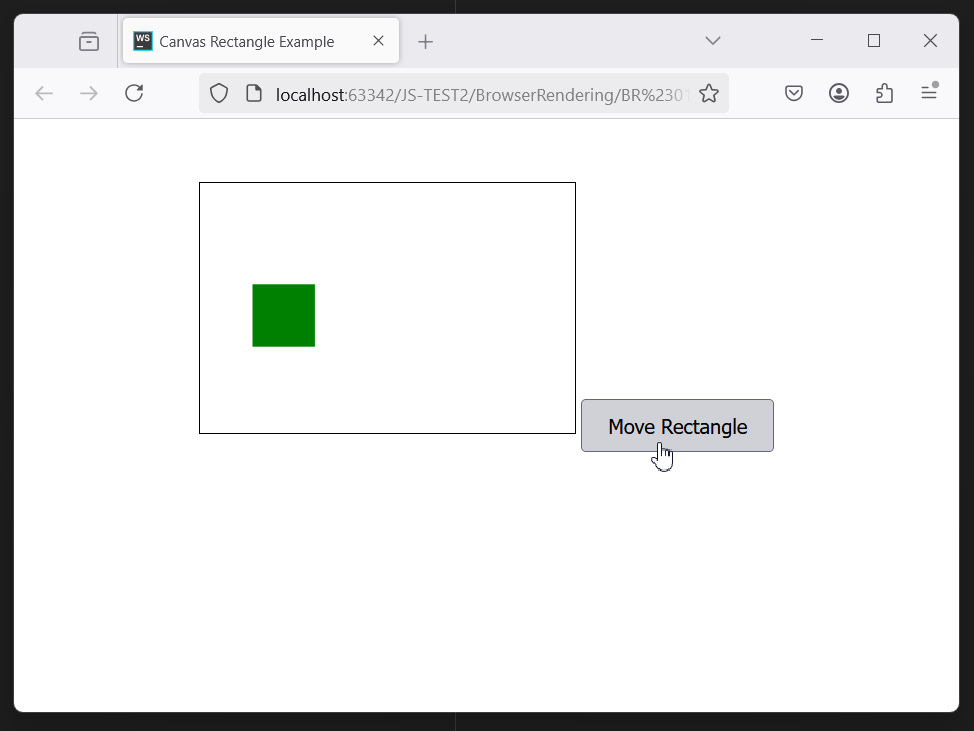
<!DOCTYPE html>
<html lang="en">
<head>
    <meta charset="UTF-8">
    <meta name="viewport" content="width=device-width, initial-scale=1.0">
    <title>Canvas Rectangle Example</title>
    <style>
        body {
            font-family: Arial, sans-serif;
            text-align: center;
            margin-top: 50px;
        }
        canvas {
            border: 1px solid black;
        }
        button {
            margin-top: 20px;
            padding: 10px 20px;
            font-size: 16px;
            cursor: pointer;
        }
    </style>
</head>
<body>
<!-- Canvas element -->
<canvas id="myCanvas" width="300" height="200"></canvas>

<!-- Button to change rectangle position -->
<button id="myButton">Move Rectangle</button>

<script>
    const canvas = document.getElementById('myCanvas');
    const ctx = canvas.getContext('2d');
    const button = document.getElementById('myButton');

    // Initial rectangle position
    let rectX = 10;
    let rectY = 10;
    const rectWidth = 50;
    const rectHeight = 50;

    // Function to draw the rectangle
    function drawRectangle() {
        // Clear the canvas
        ctx.clearRect(0, 0, canvas.width, canvas.height);

        // Draw the green rectangle
        ctx.fillStyle = 'green';
        ctx.fillRect(rectX, rectY, rectWidth, rectHeight);
    }

    // Draw the initial rectangle
    drawRectangle();

    // Add click event listener to the button
    button.addEventListener('click', () => {
        // Generate random positions within the canvas boundaries
        rectX = Math.floor(Math.random() * (canvas.width - rectWidth));
        rectY = Math.floor(Math.random() * (canvas.height - rectHeight));

        // Redraw the rectangle at the new position
        drawRectangle();
    });
</script>
</body>
</html>
ES6 context:
Comments (
 )
)
)
Link to this page:
http://www.vb-net.com/JavascriptES6/BR01.htm
|
|